CNET - Page 9 of 12 -

The iPhone Air Could Trigger a Thin Phone Avalanche

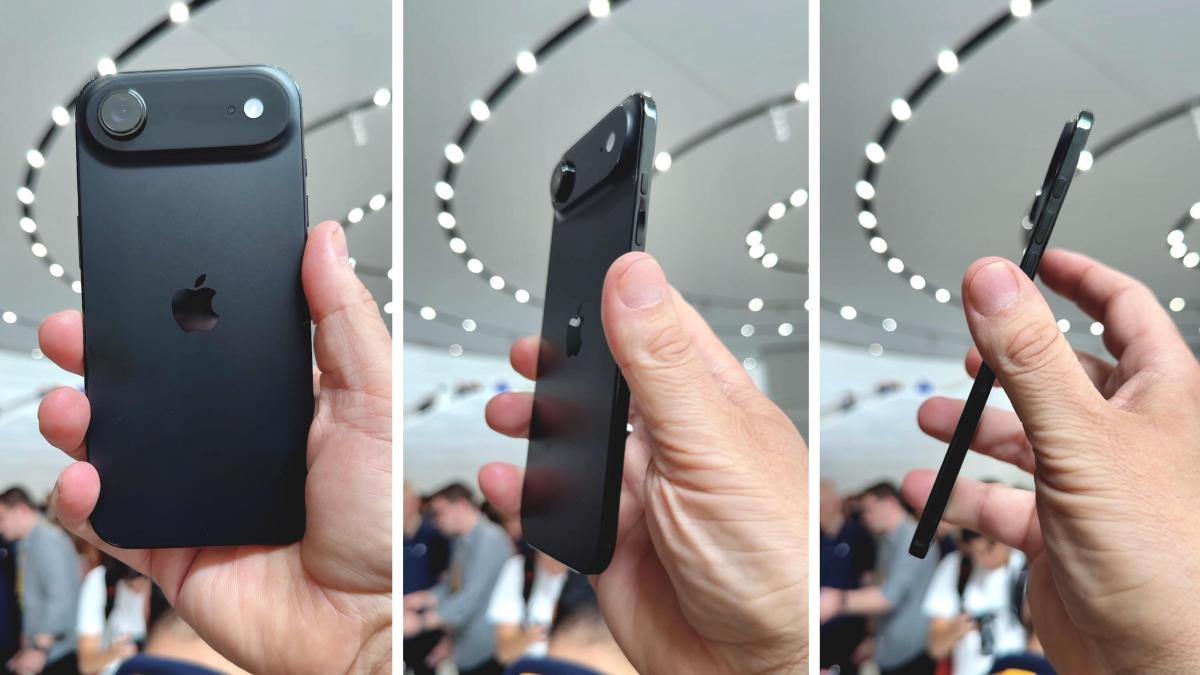
i phone air in hand shown in 3 different angles

The iPhone Air, the slimmest smarthphone to date, from three angles.

Patrick Holland/CNET

The biggest announcement coming out of the iPhone 17 series’ launch event earlier this week wasn’t about the most powerful iPhone yet — it was for the thinnest. At 5.6mm, or less than a quarter of an inch, the iPhone Air stole the show. And even though it was far from the first mainstream “thin phone,” it may just kick off the trend in a major way in the years to come.

There’s a long-running sentiment in the mobile industry around Apple’s impact on phone trends: Once the iPhone-maker makes a strong design choice, other companies follow. That was true in 2007 when the company debuted the original iPhone (and others followed the front glass touchscreen design), true when the iPad debuted to popularize the tablet format and was sadly true when it got rid of the headphone jack. 

So the big question is: Will the iPhone Air make thin phones mainstream? Probably not, says CNET Senior Technology Reporter Abrar Al-Heeti, who was on the ground at Apple headquarters for the launch event and got hands-on time with the new, skinny iPhone. But now, the thin phone niche is being reinforced by a brand with some of the most loyal fans.

“Apple isn’t necessarily setting a trend with the iPhone Air, since so many phone manufacturers have already developed thin phones,” Al-Heeti said. “But it may have legitimized the form factor among people who have wanted a thin phone and sworn allegiance to Apple’s products.”


Don’t miss any of our unbiased tech content and lab-based reviews. Add CNET as a preferred Google source.


There are a couple reasons Apple would make a thin iPhone. The most obvious: The company believes consumers want one. It wouldn’t be alone in that thinking, as Samsung debuted its Galaxy S25 Edge earlier this year. We’re still waiting for official sales tallies to see if buyers were eager to opt for a 5.8mm phone over its 7.2mm and thicker S25 series siblings. Leaked info suggests sales were underwhelming, according to The Elec, but Al-Heeti found that, “I’ve grown so used to its thin, lightweight design that holding any other phone feels like a drag.”

The iPhone Air is the biggest redesign to the iPhone in some time, and judging by the X-ray cutaways of the new device during the launch event, Apple has performed some technical wizardry in cramming nearly all the chips and hardware into the top of the phone to achieve its 5.6mm profile. Aesthetically, it’s a new page in the company’s product book, a way for Apple to appeal to another subsegment of customers, said Nabila Popal, senior director of the International Data Corporation’s data and analytics team.

“The iPhone Air is Apple’s thinnest phone ever and its boldest design move since the iPhone X,” Popal said. “It will draw in users who love sleek aesthetics, while the Pro lineup takes the crown for majority of users prioritizing battery and camera performance.” 

Analysts I spoke to agreed that the iPhone Air serves a few purposes, from replacing the iPhone 16 Plus with a more premium choice in Apple’s lineup to serving as a showcase device for the company’s emerging technologies (like its in-house C1X modem and N1 connectivity chip). But they also pushed back on the idea that the iPhone Air would open the floodgates for thinner phones.

“I think we knew thin and light phones were going to be coming regardless of Apple’s launch,” said Anshel Sag, principal analyst at Moor Insights and Strategy.

What role does the iPhone Air play?

Thus far, the iPhone Air and Galaxy S25 Edge have both been slotted into the middle of their lineups, offering an aesthetic choice that nevertheless had slight specs upgrades over their standard iPhone 17 and Galaxy S25 siblings, respectively. They are the novelties in the middle of more-of-the-same, and perhaps arrive at the right time amid not much other innovation.

This iPhone generation is less about introducing breakthrough specs and more about cleverly rearranging the price bands and distinguishing the design differences at each tier, said Counterpoint Research Associate Director David Naranjo.

“The iPhone Air is the wild card — if it resonates, Apple widens the premium middle and lifts the margin mix without needing a Pro-class camera across the board,” Naranjo said.

The side of the slim Galaxy S25 Edge in silver

The Samsung Galaxy S25 Edge, another incredibly thin phone.

Jesse Orrall/CNET

That single 48-megapixel camera on the back of the iPhone Air is its biggest obvious deficiency. (We’ll wait for our full review to see how other factors like its battery life and performance measure up.) At $999 to start, it has a similar solo camera setup as the $599 iPhone 16E. Even the Galaxy S25 Edge managed to retain an ultrawide rear camera. Clearly, there’s a price to pay for going thin.

“I just think that this first generation of really thin phones make lots of compromises, whether it’s on battery capacity or camera configuration that I hope will be resolved with time,” Sag said. “Much like we’ve seen on foldables.”

Sag is bullish that the Air will sell exceptionally well, and believes that its camera and battery capabilities will improve with time. In some ways, it still is a first-generation device, and later years’ Air devices may manage to cram in more cameras and battery capacity. 

Apple is running into the same design constraints as other phone-makers who have attempted to make thin handsets in the past, pointed out Avi Greengart, president and lead analyst at Techspontential. He pointed to the modular Motorola Moto Z that launched in 2016, which was 5.2mm thick on its own but needed its magnetic battery accessory clipped to the back that added bulk: “Without that accessory, the Moto Z was too compromised, and it didn’t sell well,” Greengart said.
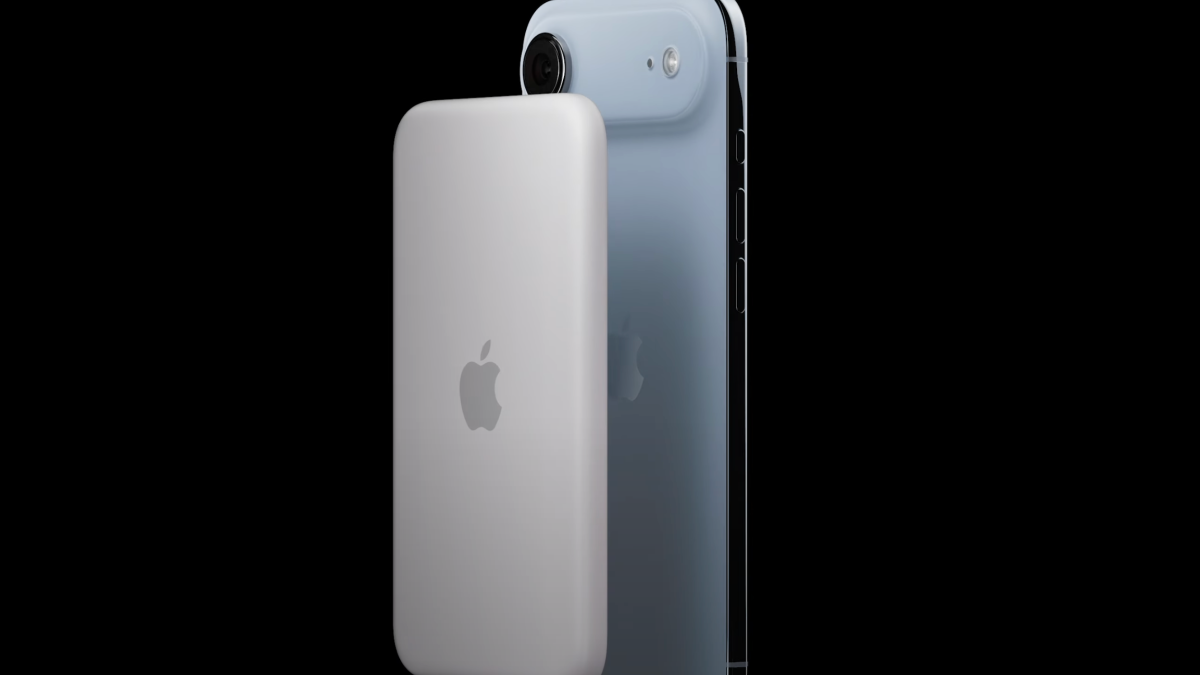
iPhone Air MagSafe battery pack

Apple’s selling a MagSafe battery accessory for the iPhone Air.

Apple/Screenshot by CNET

Battery life has been the chief concern for thin phones. Losing space inside a phone means something has to give, and that’s assumed to have been battery capacity. Though they have the same size screen, the Galaxy S25 Plus has a 4,900 mAh battery while the thin Galaxy S25 Edge’s is 3,900 mAh. For its part, Apple doesn’t share specifics on capacity. But during the iPhone 17 launch event, the company promised the iPhone Air would have all-day battery life… and then immediately introduced a MagSafe charging pack. That got a laugh out of the attending press in the audience.

Whether or not the iPhone Air sells at mass volumes, it does open up opportunities for Apple — not just for a new customer subset, but for whatever Apple might be working on. IDC’s Popal explicitly noted that the thinner phone’s design paves “the road to a foldable iPhone possibly next year.” She’s not alone in thinking so.

“I think a lot of these thin phones are much more an engineering exercise to enable better foldables,” said Sag.

Does the iPhone Air lay groundwork for the iPhone Flip?

Apple has reportedly been working on a foldable iPhone, sometimes referred to as the iPhone Flip, since potentially before the COVID-19 pandemic started in 2020. While the first foldable phones debuted that year from Samsung and Motorola, they were in rough shape, but subsequent iterations over the years increased their durability and features. While leaks and rumors suggest Apple has been working toward its own folding device, some of those early reports claim the inability to reduce the on-screen crease, where it folds, has delayed its release.
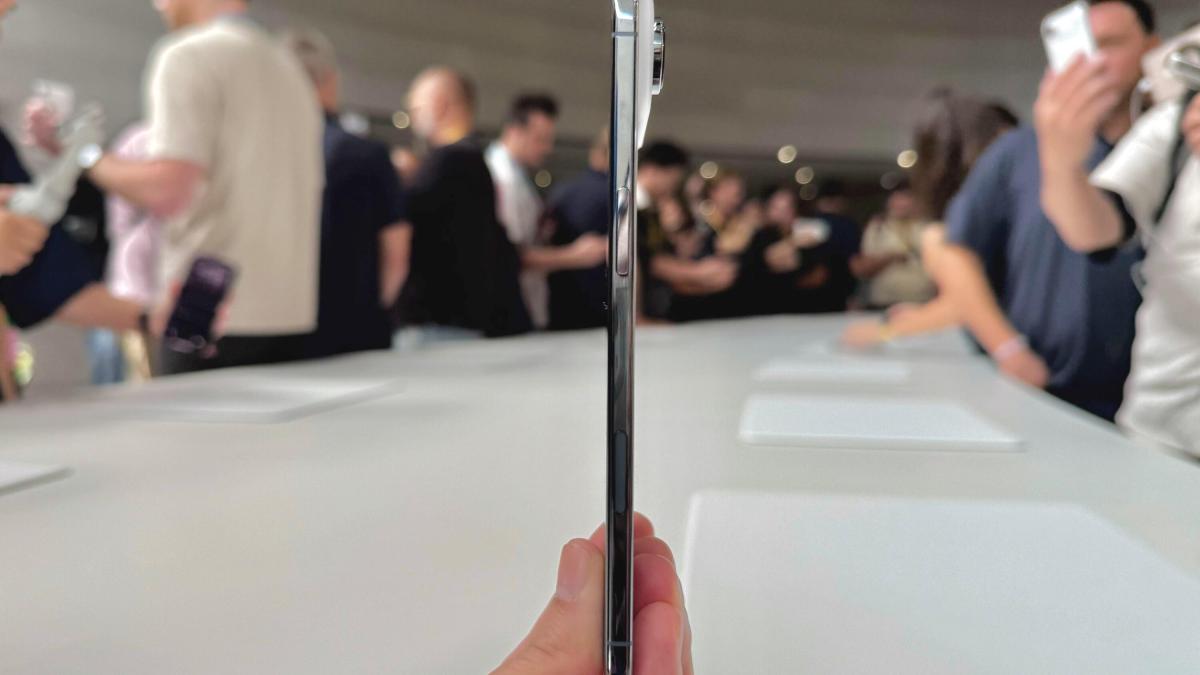
A side shot of the iPhone Air, noting its signature thinness compared to the enlarged camera bump.

The iPhone Air as seen from the side. Note the enlarged camera bump, where most of the the phone’s hardware is located.

Abrar Al-Heeti/CNET

Screen tech aside, the iPhone Air does seem like a stepping stone to an iPhone Flip, which is rumored to be a clamshell foldable like the Samsung Galaxy Z Flip 7. Relocating most of the hardware to the top half of the new iPhone is something that appears to be the popular way for companies to lay out the internals of their clamshell foldables — just look at iFixit’s Z Flip 6 teardown, where the bottom half of the device is essentially just the larger battery pack (a smaller one is paired with the chips and most hardware in the top half). 

Getting the iPhone Air down to 5.6mm thick is also important for making sure a folded-up iPhone Flip isn’t too bulky. Recent book-style foldables released this year have been thinner than ever: The Samsung Galaxy Z Fold 7 is only 8.9mm when folded shut (or 4.2mm when unfolded), while the Oppo Find N5 is roughly identical at 8.93mm thick when folded (or 4.21mm when unfolded flat). Even the Google Pixel 10 Pro Fold isn’t much thicker at 10.8mm when folded closed (or 5.2mm when unfolded).

Thus, Apple has good reason to trim away at the thickness of its iPhones, even if sales don’t take off for this first generation of the iPhone Air. But beyond making a marketable product out of R&D milestones, it’s also an experiment, of sorts, to see if consumers will be entranced enough by thinness alone.

“Apple is betting that advanced materials, eSIM, and more efficient silicon now enable a smartphone experience good enough to allow consumers’ emotional decision making to take over,” Techsponential’s Greengart said. “Super-thin, super-dense phones like the iPhone Air and Samsung Galaxy S25 Edge feel extremely nice.”

The 2018 Echo Dot Offers All the Basics, and It’s on Sale for Just $17

A gray smart speaker against an orange CNET background.Amazon/CNET

If you’re looking for an easy way to expand your smart home’s network, we’ve got a deal you won’t want to miss. The third-gen Amazon Echo Dot is now a few years old, but this 2018 smart speaker still offers all the essential features you need. And right now, you can pick it up for just $17 at Woot. That’s a pretty incredible bargain considering that it originally sold for $50. This offer is only available today and could sell out at any point.

This affordable third-gen Echo Dot is a great option if you’ve already got a smart speaker at home, but want to add another smaller speaker to your bedroom or kitchen. It’s got Amazon Alexa built-in, which means you can check the weather, set timers, stream music and much more hands-free. You can also use it to control other smart devices on your network, and it can sync with other Echo speakers to get music throughout the entire house. Just note that only the charcoal color variant is available.

Why this deal matters

While the 2018 Echo Dot is a far cry from the most advanced smart speaker on the market, it still has a lot to offer for less than $20. It’s perfect for those who only need the basics and don’t want to spend a ton, as it allows you to play music, check the news, set reminders and more without lifting a finger.


Don’t miss any of our unbiased tech content and lab-based reviews. Add CNET as a preferred Google source on Chrome.


KM Clone: Best Internet Providers in Fayetteville, North Carolina

What is the best internet provider in Fayetteville?

CNET’s broadband experts recommend Metronet as the best internet service provider in Fayetteville, North Carolina. With strong local fiber coverage, a range of speed options and competitive pricing, Metronet stands out as the top choice for most households. It offers the city’s most affordable internet plan — $30 per month for speeds up to 150 megabits per second — and the fastest, with speeds up to 5,000Mbps starting at $110 per month.

In parts of the city where Metronet isn’t yet available, residents can turn to other providers like Spectrum, Hughesnet and Brightspeed (which now operates on former CenturyLink networks) for reliable home internet service.

For additional broadband options, wireless internet from Verizon 5G Home Internet and T-Mobile Home Internet are also worth considering. Both offer competitive speeds, free equipment, unlimited data and attractive mobile bundle discounts — though T-Mobile’s coverage remains more limited compared to Verizon’s.

Best internet in Fayetteville, North Carolina

Source: CNET analysis of provider data.

Source: CNET analysis of provider data.

How to find internet deals and promotions in Fayetteville

The best internet deals and top promotions in Fayetteville depend on the discounts available during that period. Most deals are short-lived, but we look frequently for the latest offers. 

Fayetteville internet providers, such as Metronet, may offer lower introductory pricing or promotional gift cards for a limited time. Others, including Spectrum and Brightspeed, run the same standard pricing year-round. 

For a more extensive list of promos, check out our guide on the best internet deals.

Source: CNET analysis of provider data.

What’s a good internet speed?

Most internet connection plans can now handle basic productivity and communication tasks. If you’re looking for an internet plan that can accommodate videoconferencing, streaming video or gaming, you’ll have a better experience with a more robust connection. Here’s an overview of the recommended minimum download speeds for various applications, according to the Federal Communications Commission. Note that these are only guidelines and that internet speed, service and performance vary by connection type, provider and address.

For more information, refer to our guide on how much internet speed you really need.

  • 0 to 5Mbps allows you to tackle the basics: browsing the internet, sending and receiving email and streaming low-quality video.
  • 5 to 40Mbps gives you higher-quality video streaming and videoconferencing.
  • 40 to 100Mbps should give one user sufficient bandwidth to satisfy the demands of modern telecommuting, video streaming and online gaming. 
  • 100 to 500Mbps allows one to two users to simultaneously engage in high-bandwidth activities like videoconferencing, streaming and online gaming. 
  • 500 to 1,000Mbps allows three or more users to engage in high-bandwidth activities at the same time.

How CNET chose the best internet providers in Fayetteville

Internet service providers are numerous and regional. Unlike the latest smartphone, laptop, router or kitchen tool, it’s impractical to personally test every ISP in a given city. What’s our approach? We start by researching the pricing, availability and speed information, drawing on our own historical ISP data, the provider sites and mapping information from the Federal Communications Commission at FCC.gov.

It doesn’t end there. We go to the FCC’s website to check our data and ensure we consider every ISP that provides service in an area. We also input local addresses on provider websites to find specific options for residents. We look at sources, including the American Customer Satisfaction Index and J.D. Power, to evaluate how happy customers are with an ISP’s service. ISP plans and prices are subject to frequent changes; all information provided is accurate as of publication.

Once we have this localized information, we ask three main questions:

  • Does the provider offer access to reasonably fast internet speeds?
  • Do customers get decent value for what they’re paying?
  • Are customers happy with their service?

The answer to those questions is often layered and complex, but the providers who come closest to “yes” on all three are the ones we recommend. When selecting the cheapest internet service, we look for the plans with the lowest monthly fee, although we also factor in things like price increases, equipment fees and contracts. Choosing the fastest internet service is relatively straightforward. We look at advertised upload and download speeds and consider real-world speed data from sources like Ookla and FCC reports. (Disclosure: Ookla is owned by the same parent company as CNET, Ziff Davis.)

To explore our process in more depth, visit our how we test ISPs page.

Internet providers in Fayetteville FAQs

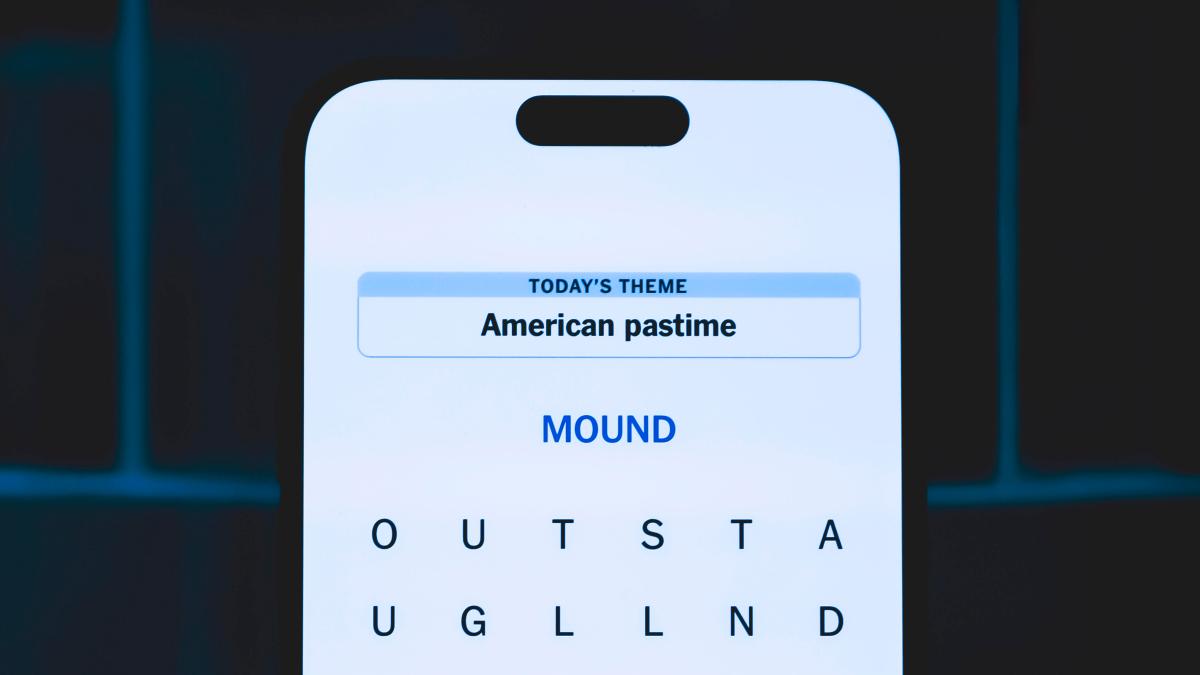
Today’s NYT Strands Hints, Answers and Help for Sept. 1 #547

New York Times Strands word game

Need help today’s Strands answer? We’ve got you.

James Martin/CNET

Looking for the most recent Strands answer? Click here for our daily Strands hints, as well as our daily answers and hints for The New York Times Mini Crossword, Wordle, Connections and Connections: Sports Edition puzzles.


Today’s NYT Strands puzzle has a neat theme, though it took me a while to hunt down some of the answers. If you need hints and answers, read on.

I go into depth about the rules for Strands in this story. If you’re looking for today’s Wordle, Connections and Mini Crossword answers, you can visit CNET’s NYT puzzle hints page.

Read more: NYT Connections Turns 1: These Are the 5 Toughest Puzzles So Far

Hint for today’s Strands puzzle

Today’s Strands theme is: Be my guest

If that doesn’t help you, here’s a clue: Come on in!

Clue words to unlock in-game hints

Your goal is to find hidden words that fit the puzzle’s theme. If you’re stuck, find any words you can. Every time you find three words of four letters or more, Strands will reveal one of the theme words. These are the words I used to get those hints but any words of four or more letters that you find will work:

  • PITA, COME, TAIL, BRACE, REEL, CARE, VERSE, BRAT, SLEW, GRIT

Answers for today’s Strands puzzle

These are the answers that tie into the theme. The goal of the puzzle is to find them all, including the spangram, a theme word that reaches from one side of the puzzle to the other. When you have all of them (I originally thought there were always eight but learned that the number can vary), every letter on the board will be used. Here are the nonspangram answers:

  • GREET, SERVE, INVITE, EMBRACE, RECEIVE, WELCOME

Today’s Strands spangram

completed NYT Strands puzzle for Sept. 1, 2025, #547

The completed NYT Strands puzzle for Monday, Sept. 1, 2025, No. 547.

NYT/Screenshot by CNET

Today’s Strands spangram is HOSPITALITY. To find it, look for the H that’s two letters from the right and six down, and make an oval.

Toughest Strands puzzles

Here are some of the Strands topics I’ve found to be the toughest in recent weeks.

#1: Dated slang, Jan. 21. Maybe you didn’t even use this lingo when it was cool. Toughest word: PHAT.

#2: Thar she blows! Jan.15. I guess marine biologists might ace this one. Toughest word: BALEEN or RIGHT. 

#3: Off the hook, Jan. 9. Similar to the Jan. 15 puzzle in that it helps to know a lot about sea creatures. Sorry, Charlie. Toughest word: BIGEYE or SKIPJACK

Fulfill Your NFL Sunday Ticket Fix Without a Big Bill Thanks to This App

A fotball helmet on a yellow and green background.

James Martin/CNET

Deal or no deal, streaming live sports takes some maneuvering just to keep up. Now that NFL season has started, you may be thinking of YouTube TV’s NFL Sunday Ticket as an option to stream football. It’s not cheap, though. Whether you pay for it in installments, get it as a perk through Verizon or have a student discount, you’re still shelling out money. But for NFL fans, there’s a way to watch Sunday Ticket without spending money on a subscription. The catch? You’ll have to leave the house. 

DirecTV has an app called Sports Bar Finder that helps you locate bars and restaurants around the US that offer 15 TV sports packages, including NFL Sunday Ticket. It’s available via web browser and operates using your location or by inputting a postal code. 

If you’re unsure about paying $276 for a new Sunday Ticket plan or up to $480 as a returning customer looking to resurrect your subscription for the 2025 season, then this could be an alternative. I tried out Sports Bar Finder (and called a few establishments to confirm they’ll carry the package this season) and have provided a walkthrough on how it works. 

How to use Sports Bar Finder for NFL Sunday Ticket

The Sports Bar Finder app used to be available for Android and iOS devices, but it’s now only accessible via a web browser.

  1. Navigate to Sports Bar Finder, where you’ll be prompted to type in a bar name, share your location or enter a postal ZIP code.
  2. The list will populate with area restaurants and bars, giving you the option to filter the results by sports package. Select NFL Sunday Ticket from the list. You can also skip this step and just look for the Sunday Ticket badge under each establishment’s information. 
  3. You can choose from the main list of bars shown in the results or click Featured to see the app’s highlighted locations. 
  4. Click on View Additional Bar Details. Each bar and restaurant provides the address, hours and available sports TV packages at that location. However, whether you’re in your own neighborhood or visiting another city from out of town, we suggest you call ahead to verify that games will be broadcast. 
  5. Tapping the heart icon will save a location to your Favorites section, so you can easily track some of your favorite places to watch Sunday Ticket or other sports offerings such as Big Ten, Friday Night Baseball or Thursday Night Football.

To tailor the results even more, you can filter by amenities (e.g., Wi-Fi or good for groups) or rating. The app pulls ratings from Yelp reviews. 

Want more NFL and sports-related coverage? Check out CNET’s pieces on streaming services like Fox One, game-day watch information and NBA news.

CNET’s Favorite 3D Printer, the Bambu Lab A1 Combo Is $280 Off Amazon, but Not for Long

a1-3d-printer-combo.pngBambu Lab/CNET

The feeling of bringing your ideas to life? Unmatched. Imagine creating your own jewelry sets, custom accessories, home decor pieces or even phone cases. 3D printing makes all of that doable, and right now, it don’t cost an arm and a leg.

Currently, the Bambu Lab A1 combo — which includes our favorite printer, the A1, and AMS Lite filament syste for multi-color printing — is down to $575 on Amazon. That’s 33% off a solid setup but the discount might not be around for long.

The A1 printer offers impressive speed with 10,000 mm/s² acceleration while maintaining excellent accuracy. Full-auto calibration automatically handles bed-leveling, Z-offsets, and more — no need for continuous monitoring or manual adjustments. Pair this with AMS Lite, and you won’t be stuck printing in just one color (no fun in that). It lets you load up to four colors and paint your model digitally.

Hey, did you know? CNET Deals texts are free, easy and save you money.

Our 3D printing expert, James Bricknell, reviewed the Bambu Lab A1 Combo and was quite impressed with both its print quality and ease of use. He highlighted the easy setup process and appreciated the ability to monitor prints through the Bambu Handy app — naming it the best 3D printer available right now.

The Bambu Lab A1 also earned CNET’s Editors’ Choice Award 2024, scoring a 9.2/10, which says a lot in a market full of options. Note that while the A1 printer and AMS Lite can be purchased separately, going that route will cost more compared to this already discounted combo.

Why this deal matters

3D printing is fun, but it can be expensive, especially if you’re looking for a machine that’s easy to use, fast and doesn’t compromise on accuracy. This deal lets you save $280 on an excellent pair that combines fast printing with several smart features. Just note that the deal is a limited-time one, so be sure to grab it quickly.

I Saw the Future of Internet Technology While Atop a Cell Tower in Rural Washington

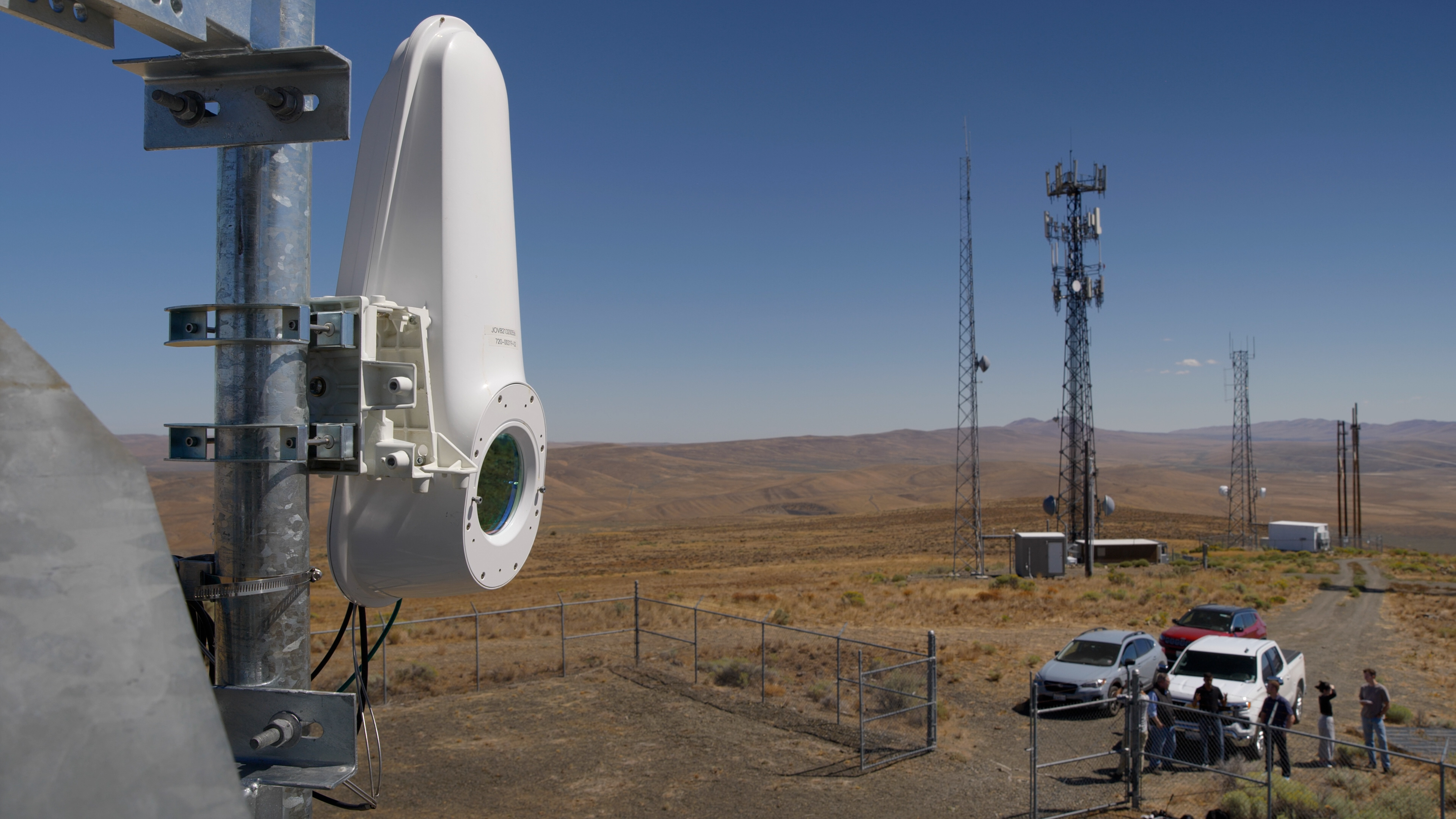
White-Taara-lightbridge-terminal-on-cell-tower-desert-in-backgroundJesse Orrall / CNET

I’ve written hundreds of articles about broadband internet technology, but I’d never heard about data being transmitted through invisible lasers before. This wasn’t the plot of a sci-fi movie. This was Taara, a graduate of X, Google’s Moonshot Factory, that uses beams of light to transmit data through the air at the speed of light.  

I drove 140 miles from my home in Seattle to remote Selah, Washington, to see it in action. Three miles up a rocky dirt road, you’ll find a typical cellular tower, dotted with antennas dating back 40 years. 

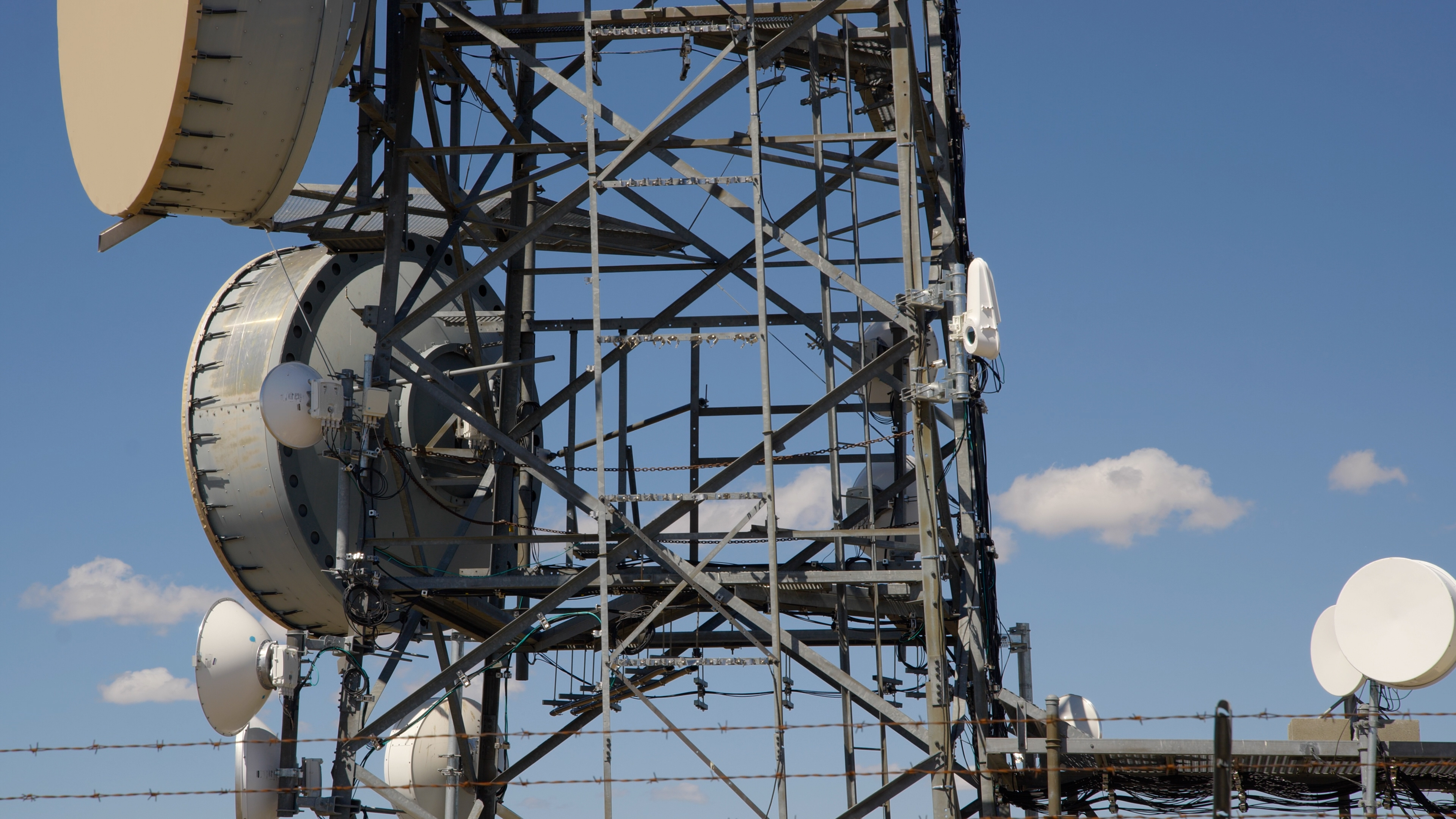
If you know what you’re looking at, you can read it like a climate scientist reads ice cores. The oldest antennas on the tower could only send 44.74 Megabits of data each second, or about 14% of what the average American home gets today. The biggest could send 1.4Gbps up to 50 miles away. I imagined the giant snare drums beaming birthday texts, Netflix shows and video meetings all over the Yakima valley. 

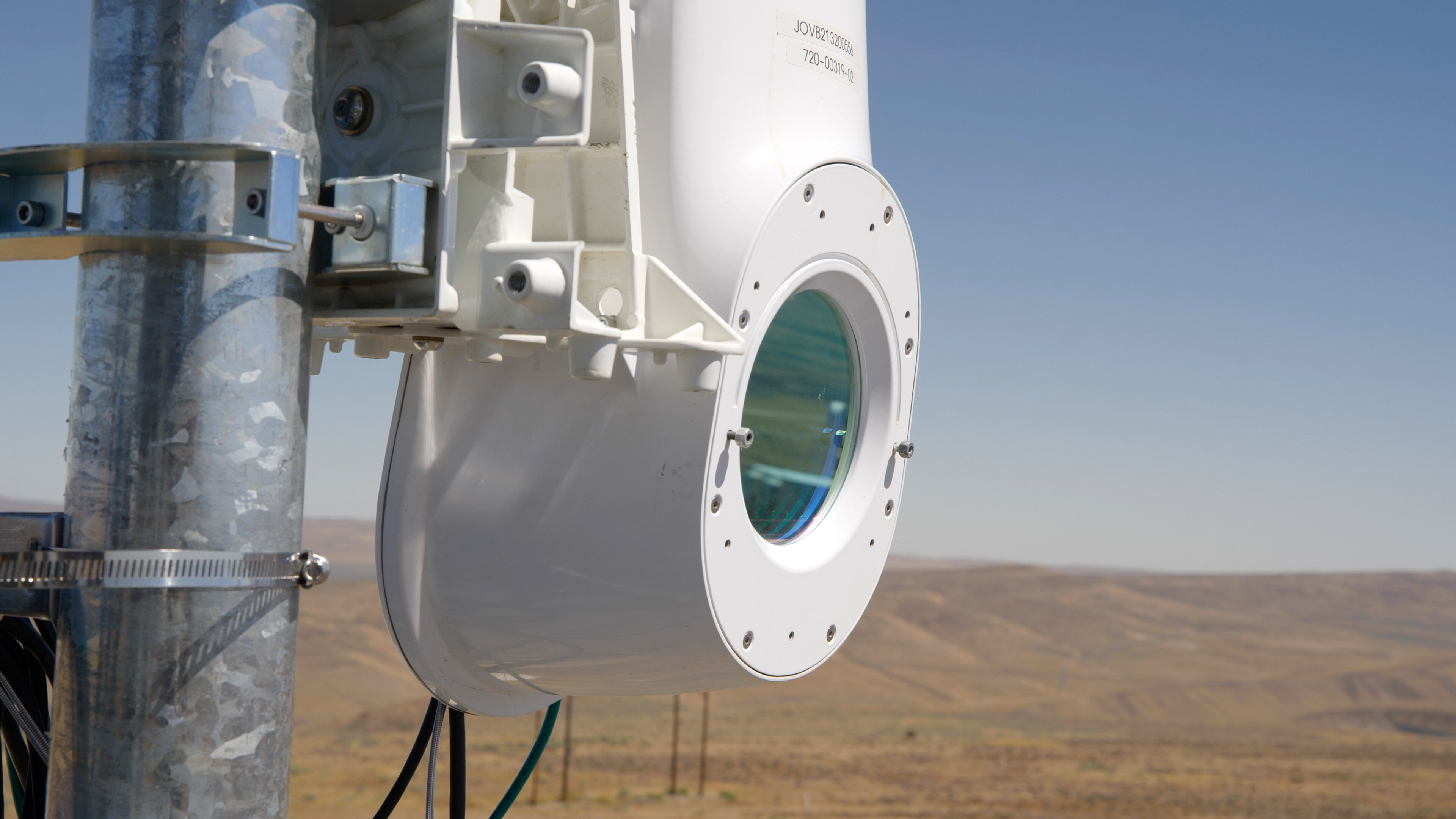
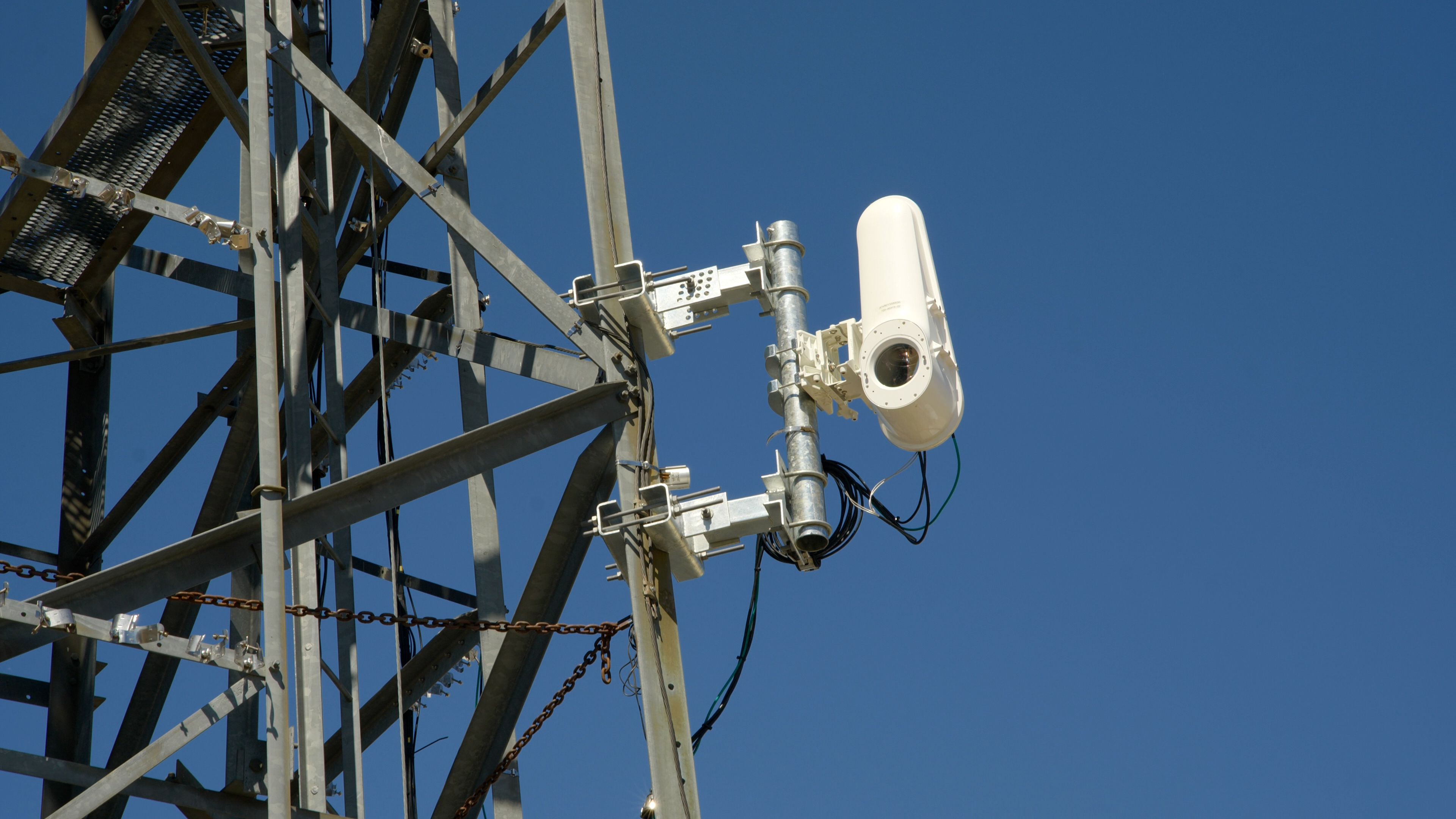
Seeing these aluminum mammoths up close was so overwhelming that I almost missed what I came up here to see: a white box the size of a traffic light tucked into an open corner of the tower.

taara-with-antennas-on-cellphone-tower

Taara’s Lightbridge terminal sits on an open corner of the cell tower owned by StarTouch.

Jesse Orrall / CNET

The biggest antennas on the tower were capable of sending 1.4 gigabits per second total; Taara can do 20Gbps in both directions, up and downstream, at distances up to 12.4 miles. The first would allow 56 TVs to stream in 4K at the same time. Taara said its terminal could do 800 — and that was just in the downstream lane.  

“The world has moved past the capabilities of that,” said Taara founder and CEO Mahesh Krishnaswamy, gesturing toward the largest antennas on the tower. “Fiber is future-proof, but you can’t get it everywhere, like here. That’s why we’re so excited. It’s a sea shift in the way we think about communications.”

Fiber optic internet has been widely considered the gold standard in data transmission for decades, but it can be incredibly difficult to build — especially in mountainous terrain like Selah. The thin strands of glass that carry data are buried several feet underground, and providers have to navigate a complex permitting process to get them there. Taara bypasses all of that by removing the “fiber” part of the equation and sending it directly through the air.

Broadband infrastructure expansion is more nuts and bolts than glitz and glamour. Innovations tend to occur around the edges. Cellphone companies advanced from 4G to 5G, pushing into new areas of the electromagnetic spectrum when older frequencies got crowded. Satellite internet had even been around for decades before Starlink. Starlink just pulled them down closer to Earth to improve its latency and speeds.  

taara-light-wave-spectrumTaara

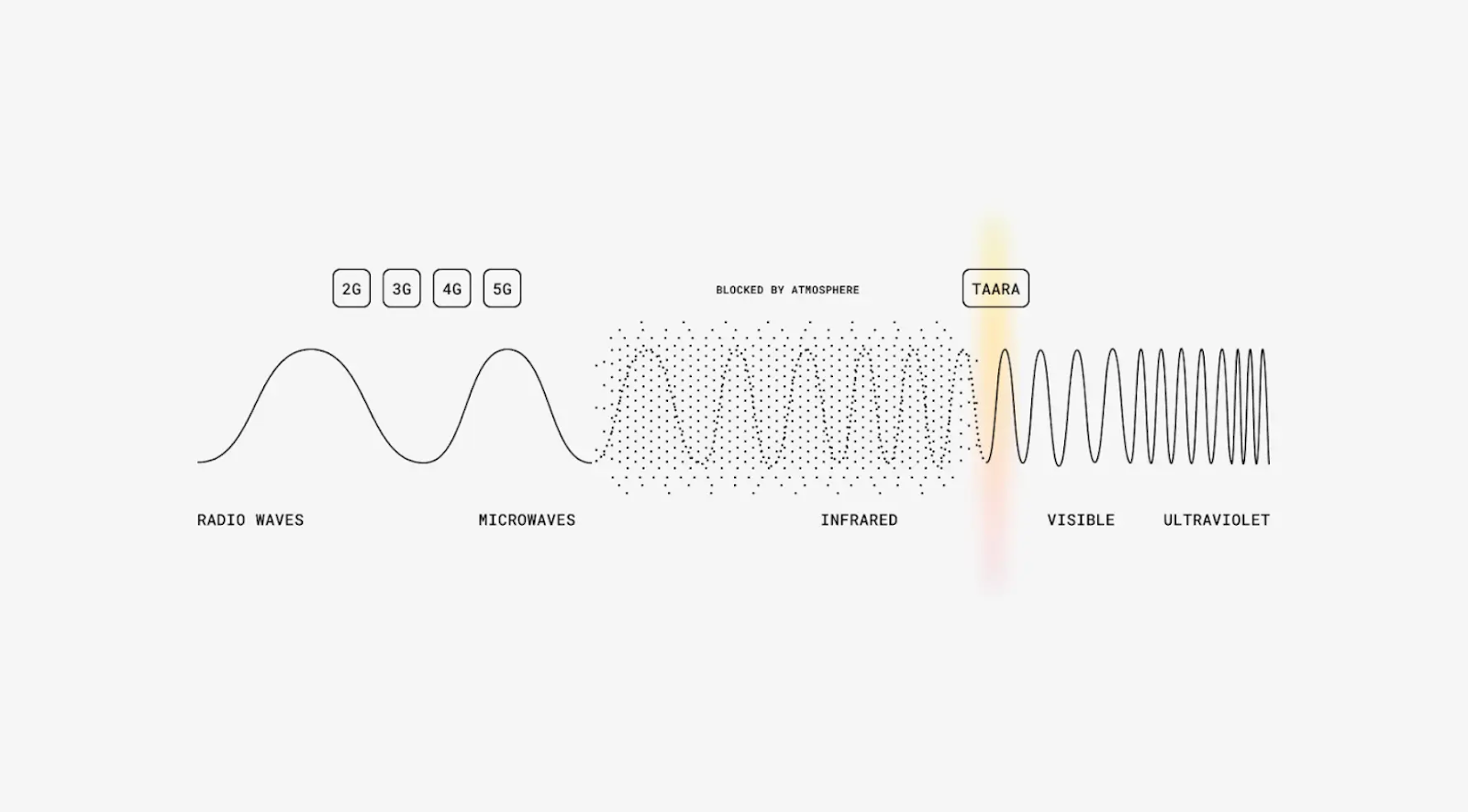
Taara operates in the 190 terahertz range, between visible light and infrared. 

“That’s exactly the same frequency that is inside a fiber optic cable,” Krishnaswamy says. “What we have done is essentially removed the sheeting of the cable and transmitted that same data wirelessly. So effectively, Taara can offer the speeds of fiber, but do it in a wireless way without having to dig or trench or lay fiber.”


Don’t miss any of our unbiased tech content and lab-based reviews. Add CNET as a preferred Google source.


How Taara plans to cross America’s ‘middle mile’

Taara’s technology falls under the umbrella of free-space optical communication, which refers to the wireless transmission of data through light. You could argue that the idea has been around since ancient times, when light or smoke signals were used to communicate across distances, but the modern version of FSO came with the availability of lasers in the 1970s and 1980s

“Taara is not alone in the present market, and FSO companies have come and gone since the early 2000s,” said telecom industry analyst Dan Grossman.  

Companies like Attochron, Transcelestial and X-Lumin also use lasers for data transmission, but none of them are as proven as Taara, said Scott Bernard, the director of engineering for StarTouch, a Washington-based company that has been trying out Taara on its cell tower in Selah for the past few months.

“We did talk to other folks. I just didn’t feel like they were quite far enough along,” Bernard told me, citing Taara’s deployments in India and Africa as proofs of concept. 

Bernard said StarTouch works with two of the “Big Three” cellular carriers to expand connectivity in hard-to-reach areas. 

“We’re definitely out in the hinterlands of Washington state,” he said. “We’re pushing to the bounds of the network. We’re at the very edge. Fiber hasn’t made it out here yet. And it may not, because it doesn’t make financial sense.”

Selah is just a few miles north of Yakima, a city with a population of nearly 100,000. Data from the Federal Communications Commission shows that 31% of Yakima residents have access to fiber, compared with 6% in Selah

taara-lightbridge-terminal-desert-backgroundJesse Orrall / CNET

As I stood next to the cell tower on the Selah mountaintop, I was struck by what a massive undertaking it would be to lay fiber across this rugged terrain. 

“It took us 30 minutes to even drive up here. There are no roads. There is no easy way to access this,” Krishnaswamy said. “You’d have to dig and trench and lay fiber in all of these places. And it’s cumbersome. It’s expensive.”

That’s the problem Taara is aiming to solve. It costs $10 to $27 per foot to bury fiber underground, or $52,800 to $142,560 per mile, according to a 2024 survey of firms that build fiber networks. (Installing it on poles is slightly cheaper, but less common.) It’s likely on the higher end in rocky, mountainous terrain like Selah.

“If it’s going to cost you $100 a foot to bore through a rocky ledge, this is a pretty attractive option,” Grossman told me. 

Instead of going underground, Taara connects the fiber network in Yakima to the cell tower in Selah entirely through the air. 

“All you need is one terminal to be able to see the other terminal, and you’re able to transmit the full 20 gigabits per second without any issues,” Krishnaswamy said. 

A 2021 report from the International Telecommunication Union found that 58% of the world’s population lives within 15.5 miles of a fiber network, but 32% are still left offline. The reasons for that are complicated — most people without home internet in the US say affordability is a bigger barrier than access — but none of those factors exist in a vacuum. Infrastructure investments allow more providers to operate in an area, which in turn lowers prices for customers. 

In Selah, you could see the fiber network off in the distance with the naked eye, but those world-class speeds would have been inaccessible without Taara. That patch between the fiber infrastructure and the cell tower is what’s known as the “middle mile.”

map-of-fiber-networks-in-us

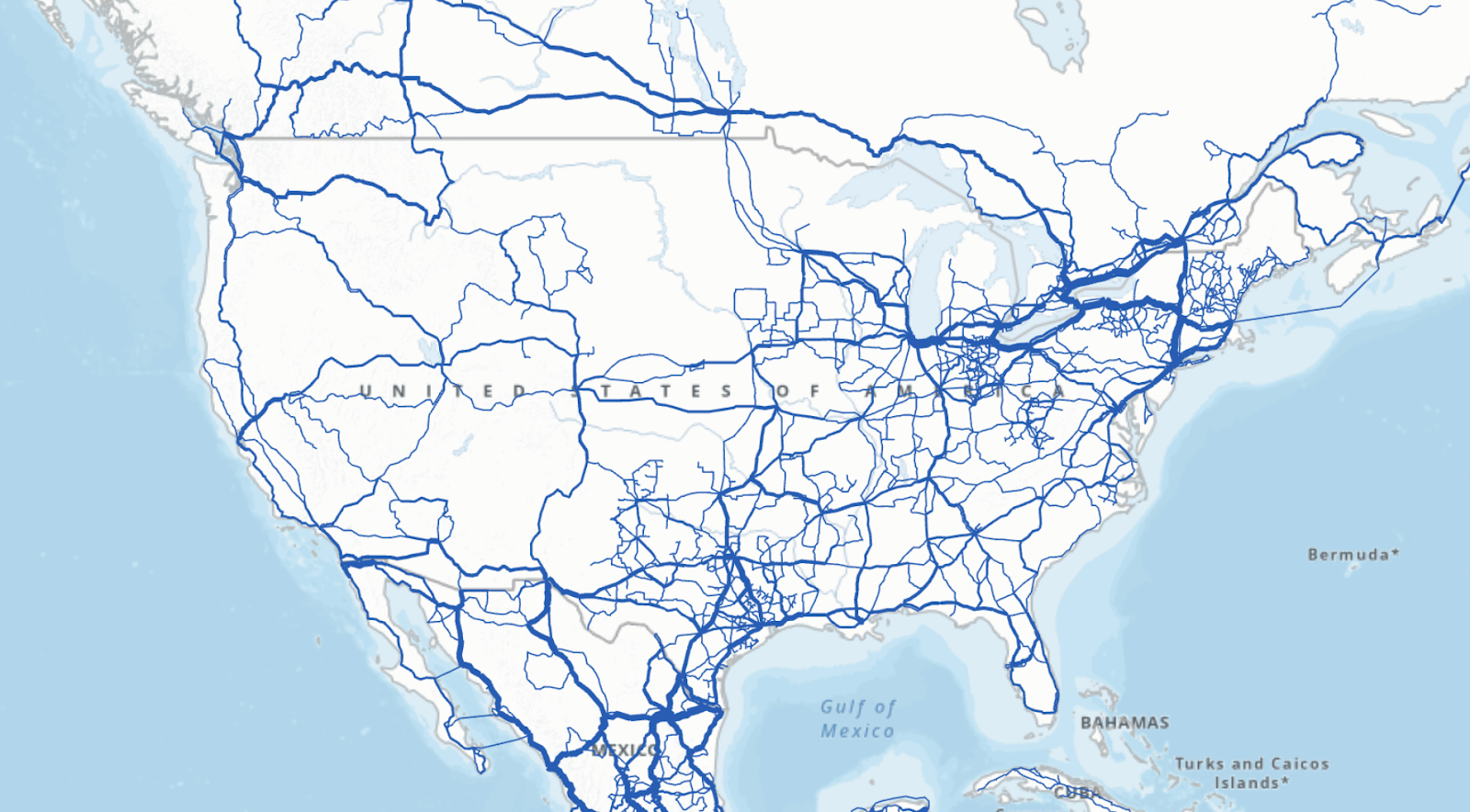
The US has more than 186,000 miles of fiber optic networks.

The International Telecommunication Union (ITU)

According to the ITU, 94% of the country lives within 31 miles of a fiber network. But traversing those miles is often more expensive and time-intensive than internet providers are willing to invest. Taara’s pitch is that it can cross a dozen miles in the few hours it takes to install. 

“Fiber could take a long time in places like out here in the middle of nowhere,” Bernard explained. “The fiber POP [point of presence] could be 30 miles away.

“With Taara, you can get your customers on the network fairly quickly. The permitting process and getting on the towers — it’s months, not years.”

The National Telecommunications and Information Administration, an agency under the Commerce Department, is currently doling out $42.5 billion to states under the Broadband Equity Access and Deployment Program. The goal is to expand infrastructure for high-speed internet in rural areas — particularly to addresses that don’t have a single home internet provider available. Taara’s Krishnaswamy recently outlined in a blog post how Taara could help internet providers cross the middle mile with BEAD projects. 

“Historically, every country has advanced by actually finding some way to subsidize or augment the connectivity infrastructure project,” Krishnaswamy told me. “What we are trying to do is work with partners and ISPs and fiber operators who are delivering this and provide resiliency to the network.”

taara-terminal-on-cell-tower-with-sky-backgroundJesse Orrall / CNET

Birds, fog and monkeys

One obvious question jumped out to me as I looked at the Taara terminal in Selah: what happens if something like a bird gets in the way of the laser? Would my Zoom meeting drop out?

“Birds are a big problem,” Grossman said. “A bird flying through one of those beams for a quarter of a second is going to kill a lot of bits.”

When it comes to things like live streaming, that would likely cause a glitch in the video. 

“You will see a brief interruption, or it may seem like a brief interruption,” Krishnaswamy said, explaining that software inside the terminal detects the interference. “We have a repeat request, which is a retransmission of the data, so the other side doesn’t even notice that brief blip of loss of packets.”

Closeup-of-Taara-terminalJesse Orrall / CNET

The cell towers that house many Taara terminals can also be vulnerable to disruption. Early on, even small vibrations or gusts of wind would knock the laser off its course. When Taara was installed in India, the local animal population even presented an engineering hurdle. 

“Monkeys were all over the tower shaking it,” Krishnaswamy told me. He says the experience led them to develop new stabilization technology inside the terminal. 

“Even if the tower sways, we know exactly how much it’s swaying and compensate in the other direction so it stays locked,” he said.

But the company’s biggest bogeyman has actually been fog, which scatters light at the same wavelength that Taara operates in. In those cases, Taara uses radio frequencies as a backup. Selah isn’t prone to fog, but it occasionally gets heavy rainfall that could disrupt the light beams. 

“What we’ve seen is it’d have to be a pretty significant storm. But that’s why you have an underlay,” Bernard said, referring to the radio frequency backup. “We at least have a way to keep the lights on.”

What does the future look like for Taara?

Krishnaswamy was understandably hyped about the path ahead for Taara. He described a utopian vision of the future for connectivity around the world: endless bandwidth for all. 

“There’s really no upper limit,” he said. “There is so much spectrum available in the light domain. If you were to compare it to the radio frequency, you could fit the entire radio frequency spectrum inside the light domain, and you wouldn’t even scratch the surface.”

Each Taara laser is about the size of a chopstick, so there’s nothing stopping Taara from adding more if the 20Gbps isn’t enough. Krishnaswamy said his team has gotten the number as high as 160Gbps by stacking the lasers. 

“That’s complete overkill to these kinds of places considering that you only are using 5% utilization right now,” he said. 

He referred to an oft-cited rule in the broadband world called Nielsen’s law, which states that a high-end internet user’s connection speed grows by roughly 50% each year, doubling every 21 months. This has held true every year since 1983. To keep up with that pace, most experts agree that fiber optic needs to be the backbone of any future network. Can Taara really do the same thing through the air?

Bernard, the director of engineering at StarTouch, told me he “absolutely” plans on adding more Taara terminals in Washington. 

“We’ve been very happy, and we are looking to deploy more,” he said. “This is a very good tool in the toolbox.”

Everything about laser internet sounded exciting, but the tech world is full of lofty promises. Taara was even born out of one — another Google Moonshot project called Loon that used balloons in the stratosphere to deliver internet. Light beams were used to help the balloons send high-speed data to each other. Loon’s dreams were deflated and Taara’s rose from the ashes.  

As Grossman, the telecom industry analyst, said, “There is a difference between marketing claims and what actually works in the field. Taara has a lot of systems in the field, so I think it more likely than not that it works, but how much they’ve stretched that is another question.” 

So far, Taara is living up the hype in Selah. Will it be the game-changing solution that Krishnaswamy envisions? Is there really no “upper limit” on the amount of bandwidth Taara could supply on the light spectrum? 

Only time will tell, but I know I’ll be looking at every cell tower I see with fresh eyes, trying to spot a white traffic light with the laser eye nestled among the behemoths.

Apple’s iPhone 17 Event Is Today. Here’s How to Watch

Apple’s annual fall iPhone launch event is here. The keynote kicks off at 10 a.m. PT. Apple is expected to unveil the iPhone 17 lineup, which could include a slimmer version of the phone, as well as the Apple Watch Series 11 and the AirPods Pro 3.

The invite, which Apple sent on Aug. 26, shows the title “awe dropping,” with a dynamic Apple logo that seems to reference Siri’s colorful glow. 

There’s also an interactive element when you view the invite on Apple.com. With a finger (phone or tablet) or a mouse/trackpad pointer (computer), you can move across the logo and watch the colors go from a cool blue to a vivid orange, possibly evoking the Liquid Glass design element in iOS 26, which exhibits light-bending qualities across apps and functions. You can read more theories about what the fall event invite might signify. 

The keynote will be held at Apple Park in Cupertino, California. CNET will be covering the announcements live, so be sure to follow along.

Technically, Apple has yet to confirm the iPhone 17, but the company typically unveils its latest handsets at its fall event. 

You can tune into the iPhone 17 event by watching the official livestream on Apple’s website or via the livestream on Apple’s YouTube channel. Those streams are scheduled to begin at 10 a.m. PT/1 p.m. ET. CNET’s reporters will also be on the ground and bringing you all the updates.

Rumors for the upcoming slate of iPhones have been plentiful. Stealing the spotlight is the supposed iPhone 17 Air, which could follow in the footsteps of Samsung’s sleek Galaxy S25 Edge and have a slim profile and lightweight design. The Pro model could get a scratch-resistant, antireflective display and an 8x telephoto lens, and the Pro Max could pack a bigger battery. The baseline iPhone 17 could also boast a higher refresh rate. It’s possible that all the phones may include an Apple-developed 5G modem called the C1 chip, which debuted on the iPhone 16E, as well as in-house Wi-Fi chips. 

We also expect to learn more about the public rollout of iOS 26 later this fall. The new operating system features a Liquid Glass interface that brings a more transparent, lens-like look to the iPhone and other Apple devices. The Camera app also gets a more minimalistic design, Messages lets you create polls in group chats and a new screening tool can better detect spam texts. You can check out all the features coming to iOS 26

What we might not hear as much about is the updated version of Siri that Apple unveiled at its Worldwide Developers Conference last year. The smarter version of the AI assistant has faced repeated delays and may not arrive until next year. But Apple could discuss other Apple Intelligence updates and features arriving on its new devices. 

CNET’s reporters will be on the ground, bringing you all the latest updates and impressions of whatever Apple has in store. You can watch our livestream here starting at 9:30 a.m. PT/12:30 p.m. ET:

Best Hiking Apps of 2025 for Enhancing Your Outdoor Adventures

You can enjoy hiking in many ways, from strolling along flat trails to trekking through the woods to tackling challenging terrain in mountainous landscapes. Regardless of the approach, hiking has countless health benefits, such as improving cardiovascular health, boosting mood and enhancing cognitive functioning, and fostering a connection with nature.

You’ll find a number of hiking apps available — so many, in fact, that it can be difficult to narrow down your options. I’m an avid hiker, and AllTrails has been my primary resource for the past decade, but I’ve been testing seven other top-rated hiking apps for the past month to find those worth downloading. From the top app for curated trails to my favorite for building custom routes, here are the best hiking apps for your next outdoor adventure.

Disclaimer: You should never solely rely on a phone app while hiking or exploring remote areas. Read on to learn why with expert safety tips from a professional mountain guide.

Best hiking apps of 2025

Disclaimer and warning: Don’t rely solely on an app

Apps aren’t always accurate

Never rely solely on an app for navigating the outdoors. For one, there’s no perfect hiking app. Given our ever-evolving environments, trail closures, changes in property ownership, climate change and so on, these apps are bound to have outdated, inaccurate or missing information. They also don’t always function perfectly — I’ve encountered occasional glitches on every hiking app I’ve tested.

Through personal experience, I’ve learned it’s often best to use two apps (and offline maps) when trekking in challenging or unfamiliar terrain, especially when there’s no cell reception. You can cross-reference and compare the apps when making directional decisions along your route.

Here’s an example of how hiking apps aren’t always reliable. This particular trail underwent some construction and rerouting last year. I was able to navigate it just fine without relying on an app, but all three indicated that I had gone off-route because their databases hadn’t been updated to reflect this changed section.

They’re useless if your phone dies

Consider bringing a physical map, compass, personal locator beacon (PLB) or satellite communicator. That way, if something happens to your phone — whether you lose it or your battery dies — you aren’t completely SOL. 

Anouk Erni of Blackbird Mountain Guides, AMGA-certified rock and ski guide and IFMGA aspirant mountain guide, explains, “I highly recommend having a satellite device. While some devices like a PLB have just an emergency locator feature, other devices allow for two-way texting and map use. A popular satellite device is the Garmin InReach Mini, which allows communication via satellite either directly through the device or by Bluetooth pairing it to a phone. You can two-way text through a Garmin app on the phone, get weather updates, check one’s location on the app’s map and call for help by pressing an SOS button. There are other devices out there, such as the Zoleo and Garmin Messenger.”

If there’s an emergency and you need to communicate with rescue services in an area with no cell signal, remember that you may be able to use your phone (if it’s in working condition). The iPhone 14 and later models offer Emergency SOS via satellite, allowing you to contact emergency services when you don’t have reception. I had to use this feature on a hike recently, and I was able to communicate with emergency personnel successfully. T-Mobile also offers a Starlink-based satellite service for $10 per month, allowing you to send and receive text messages without cellular coverage.

Though it’s a great feature, keep in mind it may not always work perfectly. “Many folks are starting to use the SOS messaging feature on the iPhone; however, that feature has not been perfected in the backcountry yet and is not guaranteed to work all the time. In addition, relying on just one electronic device (e.g., your phone) is not recommended for emergency contact because of possible battery depletion or phone malfunction,” says Erni.

Factors to consider when choosing a hiking app

Selecting the right hiking app for you will require trial and error, and your priorities will likely shift over time. The good news is that most hiking apps offer free versions and free trial periods. I recommend downloading and trying a few to see which best fits your preferences and lifestyle. Remember that there’s always a bit of a learning curve — especially with apps with this many features and functionalities — so don’t give up if it feels confusing or frustrating at first. 

Consider the following characteristics when choosing the right hiking app for you:

Functionality: Do you want the ability to create custom routes on detailed topographical maps of backcountry terrain? Or are you looking for a comprehensive list of curated trails, complete with user reviews and photos? Will you use the app for skiing, hunting, fishing or fieldwork activities? Are you looking for community-based trail guides for specific thru-hikes? Determining what you want and need from the app first will help narrow your options. 

Map features: If you plan and execute hiking trips off the beaten path, consider which map features and overlays you need. Do you need public and private land boundaries? Satellite imagery? US Forest Service maps? Do you need overlays such as slope angles, sun exposure, wildfire activity or cell reception? 

Offline navigation: The offline navigation capability is arguably the most essential aspect of your hiking app. If you can’t access your maps or GPS navigation in areas with no cell service, they won’t be of much use. 

Price: Most hiking apps have multiple tiers of plan options, and many require an upgrade to download and navigate maps offline. Consider your budget and whether you’re willing to pay for a subscription. Subscription pricing varies among apps, which can help narrow down your options. 

Hiking app honorable mentions

National Park Service

The National Park Service app is free and offers information on more than 400 US national parks. It features interactive maps with points of interest, roads, trails and attractions. The app also helps you locate amenities such as transportation, food and restrooms. The NPS app even has neat self-guided tours you can listen to while traveling through the park, complete with markers to learn more about the park’s history, geography, wildlife and more. I highly recommend that the next time you visit a National Park, you use this app for park news, road closures, alerts, event information, and so on. 

You can download content and maps to access offline, a nice feature that not many hiking apps offer for free, but it’s not the most robust navigational tool. I’d still recommend having another hiking app with the trail maps downloaded to use as you trek in remote areas of the park.

Topo Maps Plus

Topo Maps Plus is another great option for people who need to access detailed topographic maps offline. It’s suitable for hiking, backpacking and fishing and for wilderness guides and field professionals such as reclamation specialists who monitor land restoration after mining, agriculture or construction disturbances.

Tay Lopez, a reclamation specialist, relied on Topo Maps Plus during his four years of field work, marking off old mine locations and pinning the coordinates of new mines on the app. 

“The app offers a ton of maps and customizability. It works well on Apple products like iPhones and iPads; you can even navigate the maps on an Apple Watch. Exporting coordinates and downloading the maps for areas without cell reception was very easy. I would recommend this app for people who are not going on typical hikes, per se, but more for those who need to plan and mark routes in the wilderness or navigate complex terrain,” said Lopez.

Avenza Maps

Avenza Maps is a popular app for hikers, bikers, skiers and hunters who need reliable offline maps and accurate navigation. Like CalTopo, it’s also popular among search and rescue teams, first responders, foresters, geologists and other field professionals. It features professionally created maps (rather than crowdsourced) from publishers like National Geographic and government agencies that constantly update their maps. You can also import your own georeferenced PDF maps.

Strava

Though Strava isn’t designed as a hiking or navigational app (it’s known as an app for runners and cyclists), it includes route-tracking and records metrics like distance, time and elevation gain. You can share your hikes with friends and family and interact with the activities of others on the app. The app also has popular hiking routes, but it requires a subscription. It also features a global heatmap to help you see which trails are most popular.

How we tested the best hiking apps

Although I’m not a professional mountain guide or extreme hiker, I’ve been hiking regularly for more than a decade and would consider myself advanced. I hike multiple times a week and have summited a handful of challenging peaks, including Mount Whitney, Half Dome and Costa Rica’s Cerro Chirripó, as well as many other notable hikes around the Sierra Nevada mountains where I live. I enjoy hiking in national and state parks across the US and exploring trails while traveling internationally. 

AllTrails has been my primary source for locating and navigating hikes until recently. I’ve exhausted most of the known trails around our area and sought a new app to help me plan and execute more backcountry hikes.

I’ve tested seven other hiking apps for the past month to compare and contrast features and functionality. The main qualities I considered when selecting the apps on this list include functionality and features, user interface, trail database, offline maps, navigation, pricing and reviews.

User interface: I’ve familiarized myself with each app’s interface, learning its features and functionalities. I note whether it’s pretty intuitive and easy to pick up or if there’s a significant learning curve. Once I have a trail picked or a custom route created, I’ve been hitting the trails and using the apps to navigate, paying attention to how accurately the GPS tracks my movements, how easy it is to follow the trail and how the maps display on my phone. 

On each hike, I use two apps to compare and contrast their functions. I note whether they have glitches or issues with rotating the screen and zooming in or out, as well as which maps are most accurate compared with the actual paths, landmarks and general topography in front of me. 

Offline navigation: One of the most critical components I looked at is access to maps and navigation offline. After all, it doesn’t matter what app you use if it won’t work when you lose cell service. Luckily, these offline features are becoming industry standard, and most outdoor hiking apps now offer them — though they’ll make you pay for it. I always download the trail and maps I need before heading out (I’ve been burned by not doing that in the past). 

Features: I examine the app’s other features, including extra overlays, weather forecasts, satellite previews, safety tools and community features, such as whether there are user-generated reviews and photos. Finally, I look at the posthike interface and assess how accurately the app measured all my metrics during the hike.

I asked the experts

Anouk Erni of Blackbird Mountain Guides, a highly experienced, certified mountain guide with an impressive list of credentials longer than the alphabet, offered expert insight.

“Many guides and recreationalists use either CalTopo or Gaia for planning routes and downloading maps with different topographical layers. These apps work very well for trip planning and allow you to incorporate layers such as snow coverage, global imagery, US Forest Service maps and topo and contour lines. If you’re into creating routes on your map, these have many features, such as creating geospatial PDF topo maps that you can download onto your phone for offline use. I like to have these PDFs downloaded to my phone, as well as use the app to access the route and orient myself in the moment. The apps sync all your information quickly — but make sure to download the maps for offline use before going out of service, so that you can use them to orient yourself throughout the hike. Other decent options for apps are AllTrails, Avenza and onX,” explains Erni.

It’s an ongoing process

Testing hiking apps is an ongoing process. Hiking application companies constantly evolve and upgrade their products, improving the technology and offering more features, trails and functionalities as their database grows. This roundup of the best hiking apps will evolve as we continue to test them, so check back at CNET for updates.

Phone battery tips

Using a hiking app on your phone (or two at a time, like I’ve been doing) will inevitably drain your phone battery. I’ve been taking a few extra steps to ensure my phone doesn’t completely die while I’m exploring remote places.

Phone settings

  • If you don’t have cell service, consider putting your phone in airplane mode to prevent it from constantly searching for a signal. 
  • When you’re not using it to navigate or look at the maps, put it on power saving or low-power mode to reduce brightness, limit apps running in the background and optimize overall performance. 
  • You’ll probably also want to turn off background app refresh and disable location services for most apps except those needing GPS tracking while hiking. 
  • Be sure to download your maps ahead of time to access them offline so that you aren’t using data to search and interact with your maps.

Bring a portable charger

Be sure to fully charge your phone before heading out on a hike. I also bring a portable charger on longer day hikes or overnight backpacking trips. I like the Anker MagGo power bank because it’s pretty lightweight, sticks firmly to my phone and provides plenty of juice. 

I’ve said it before, and I’ll say it again — bring a physical map and compass as backup. Our phones aren’t always reliable, and it’s best to be prepared for whatever the trail may bring. 

“Know how to read a map and use a compass. It is not uncommon for hikers to veer off trail where it may not be well marked, if there is snow coverage or if hiking in the dark. Being able to acknowledge the error and get back to the trail quickly can be the deciding factor between a successful adventure or a rescue mission. These days, technology has provided mapping apps that are easy to use and follow, so practice using these apps and maybe watch some tutorials,” Erni emphasizes.

Read more: Best Power Banks for iPhones and Best Power Banks for Android

Hiking app FAQ

How can you find a good trail to hike?

A “good” trail depends on what you’re looking for. If you’re seeking a curated trail, I recommend starting with the free version of AllTrails, because you can search in the area you want to hike and narrow down your options with the handy filters feature.  You can sort based on the distance and elevation you want to trek, and on whether the trail is dog-friendly, kid-friendly, or has attractions like lakes, waterfalls or scenic views. Be sure to read the reviews left by other hikers for extra insight and tips on what to expect.

What features do I need in a hiking app?

It depends on the type of hiking you’re doing. If you’re hiking on a popular, well-trodden path within cell reception, you may not need an app with downloaded maps for offline use. However, suppose you’re venturing into unfamiliar territory or expect you won’t have cell service. In that case, you’ll want to prioritize a hiking app that allows offline map access so you can still navigate. 

Additionally, to ensure you’re on the right path and record your route, look for a hiking app with GPS tracking capabilities (most have them these days). If you plan a long day hike or backpacking in the wilderness, you may need more-complex features, such as localized weather conditions, slope angle overlays, public and private land boundaries, and more.

What should you bring on a hike?

Say you’re going on a single-day hike, there are a few items I recommend having with you (the gear you’ll need for an overnight hike or backpacking trip will be quite a bit more extensive). Bring multiple layers of lightweight and protective clothing, because you never know what type of inclement weather you may encounter. Bring plenty of water and a filtered water bottle (my favorite is the Grayl Geopress) or LifeStraw to fill up and rehydrate whenever you cross water sources such as lakes or rivers. Be sure you have enough snacks, calories and electrolytes to keep you fueled and hydrated. Wear protective gear such as a hat, sunglasses and sunscreen.

If you’re heading into bear territory, I recommend bear spray or a safety alarm if you come across any creatures on the trail who aren’t in a particularly friendly mood. Finally, bring a compass, physical map and a transponder or satellite communicator — phones certainly aren’t foolproof or indestructible. 


T-Mobile Says It’s Not Spying on You. What the New Screen Recording Tool Actually Does

Some T-Mobile customers during the past week have been surprised to discover a new — and enabled by default — feature in the T-Life app called “Screen recording tool.” In light of recent iffy recording tools such as Microsoft’s Recall AI feature in Windows, seeing a feature that records the contents of your screen is bound to raise privacy concerns.

If you’re a T-Mobile subscriber, you can check if this new option has been turned on by opening the T-Life app, tapping Manage and then tapping Settings (the gear icon). The Screen recording tool option shows up under the Preferences heading.

If the option is there, tap it to reveal a description and a toggle switch. The description reads: “We use a tool to record how customers use the app to analyze and improve your experience. Only T-Mobile will review and analyze your info. If you turn this toggle on or magenta, we will record your screen while you use the app. If you turn this toggle off or gray, we will not record your screen.”

To disable the feature, tap the switch so it becomes gray. (The “magenta” and “gray” in the text refer to the color of the toggle switch to indicate whether it’s active or not, respectively.)

When I reached out to the company for more information, a T-Mobile spokesperson defended the feature, saying it was designed to improve the user experience.

“To help us give customers who use T-Life a smoother experience, we are rolling out a new tool in the app that will help us quickly troubleshoot reported or detected issues,” the spokesperson said. “This tool records activities within the app only and does not see or access any personal information. If a customer’s T-Life app currently supports the new functionality, it can be turned off in the settings under preferences.”

According to a post on droidlife, which earlier referenced the issue, the new option shows up on both iPhone and Android phones.

On the face of it, the Screen recording tool appears to do what it says, and the fact that it’s limited to just the T-Life app is a reasonable, and expected, limitation.

But as with all potential privacy issues, the fact that T-Mobile is enabling the feature by default has rightly made customers suspicious. It should be off initially, and if an issue arises that would require screen recording, then the company could get permission from the phone owner to turn it on.

T-Mobile in fact has a similar setup within the T-Life app. There’s another screen recording feature that is completely separate from this new Screen recording tool. In the app’s settings, under Help & support, is Screen Share, which can be used during a support call. It allows a T-Mobile expert to view your phone’s screen while troubleshooting an issue. It requires several steps and requires you to consent to having your screen recorded before allowing a support expert to connect to the app.

If you’ve ever tried to help a friend or family member over the phone and asked them to describe what’s on the screen, you’ll appreciate how helpful it can be to view what they’re seeing directly.