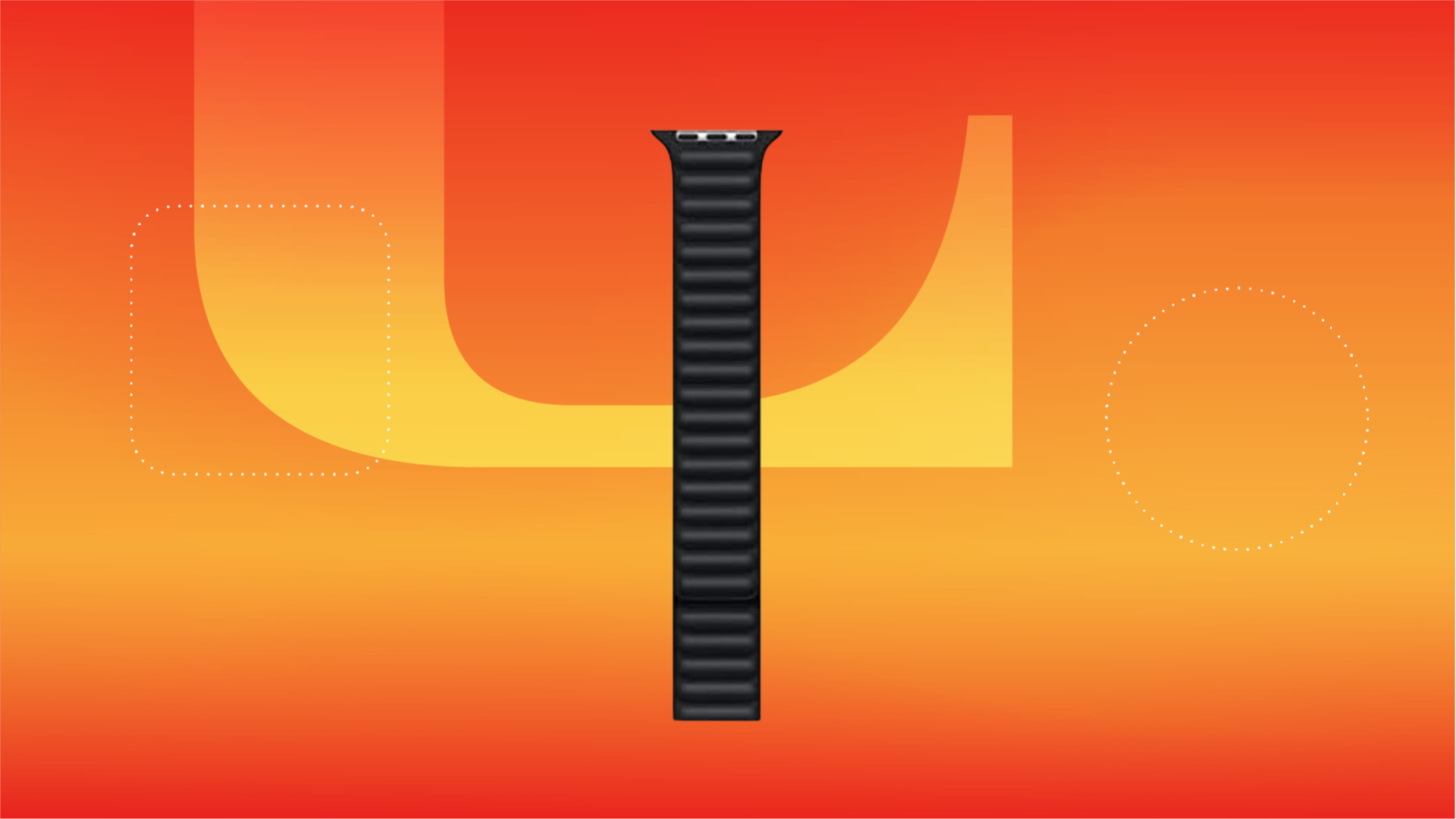
Whether you’re rocking the latest Apple Watch Series 9 or a previous model, watch bands don’t come much cooler than the Apple Leather Link. It’s versatile enough to use for any occasion and the soft leather adds a luxurious touch of class to any outfit. It’s also among Apple’s most expensive bands at $99 which make it pricier than most other options.
Woot’s summer deals are here to help and right now you can grab a Leather Link in different size and length configurations for just $25, a savings of $75. This watch band is currently available in ink (navy). Just be sure to do it soon, this sale will end in seven days or until supplies last. Some configurations are already sold out.
Apple doesn’t only make one of the best smartwatches around, but it’s also responsible for some of the best bands, too. In the case of the Leather Link, the construction is the key thanks to the use of Venezian leather that’s handcrafted in Arzignano, Italy.
If that isn’t enough, the concealed magnets that allow for a firm yet highly customizable fit should be enough to get you interested, while the super-thin design means you won’t have to walk around with a massive chunk of leather stuck to your wrist. The band is available for 38mm, 40mm and 41mm Apple Watches. The band is available only in size medium-large, to fit wrists 165mm to 180mm in circumference, which might rule out those with more petite wrists.
Don’t worry if you don’t yet have an Apple Watch to go with your new band, because we’ve got you covered. Our list of the best Apple Watch deals will have something for everyone, and now you can save cash on your fancy new band as well.
Christmas will be here in just a few days, so there’s not much time left to buy gifts for your friends and family. Even though we’re certain that you have all the gifts you need, there is always a chance that you might unexpectedly need to buy more gifts for someone you didn’t plan for, especially if you’re showing up to a holiday party.
If you need some help, this Target tip is here to stop you from scrambling and so you don’t show up empty-handed.
Take a look at our shopping tip on three ways you can capitalize on Target’s last-minute shopping options; plus deals you can grab too.
Even if it’s too late for shipping, what you can do is use order pickup. Order pickup is such an easy way to get something online, by having you search, place your order and then pick it up in-store without the hassle of crowds.
On Target’s order pickup page, everything is already broken down by gift types, making it easier for you to search. Here are a few categories:
You can place online orders when you’re using order pickup all the way up until 6 p.m. local time on Christmas Eve.
If you prefer never leaving your car, you can use the Drive Up service. In order to use Drive Up, you have to use the Target app, which you can download on Android and Apple devices. Here’s how Drive Up works:
You also have by 6 p.m. local time on Christmas Eve to pick up your online orders when you’re using Drive Up.
Using Shipt is a little different than the other two options. If you plan on going this route, you have till 4 p.m. local time for same-day delivery. That said, using Shipt is very easy. Here are four ways you can place an order using same day delivery:
Want to save more right now, and in 2023? Here are additional Shopping Tips to help you do just that.
The deep darkness of space might not actually be so dark in our solar system.
Astronomers analyzed over 200,000 images from NASA’s Hubble Space Telescope, making tens of thousands of measurements to try to locate a residual background glow in the night sky. The project is called Skysurf, and it’s based at Arizona State University and involves researchers there and around the world.
The team harvested data from the images and then subtracted the glow from planets, stars, galaxies and even ethereal zodiacal light, which is light reflecting off dust within our solar system.
After accounting for all this, there was still a tiny bit of leftover glow or “ghost light,” which the researchers describe as equivalent to the glow of 10 fireflies spread across the entire night sky.
“We think it is a local phenomenon that is not from far outside the solar system,” ASU researcher Tim Carleton explained in a statement Thursday. “It may be a new element to the contents of the solar system that has been hypothesized but not quantitatively measured until now.”
A leading explanation is that the glow comes from a previously unaccounted for sphere of dust left behind by countless comets traveling through the solar system from all directions.
One of the studies was led by Rogier Windhorst from ASU, who points out that over 95 percent of the photons in Hubble’s images come from distances on our side of the universe, less than 3 billion light-years from Earth.
“Since Hubble’s very early days, most Hubble users have discarded these sky-photons, as they are interested in the faint discrete objects in Hubble’s images, such as stars and galaxies,” Windhorst said. “But these sky-photons contain important information which can be extracted thanks to Hubble’s unique ability to measure faint brightness levels to high precision over its three decades of lifetime.”
And within that information, Windhorst and others may have just located a completely new piece of ethereal architecture underlying our entire solar system. If you consider a faint but ubiquitous layer of dust to be architecture, that is.
If you don’t want to sign up for a Costco membership right now, Instacart is a great way to still shop there.
Angela Lang/CNET
Tons of people love Costco, but there are also a bunch of people who don’t understand the appeal of the warehouse club and don’t feel as though shopping there would benefit them. There’s not a whole lot of in between, and it’s reflected in the fact that you either pay for an annual membership or decide to not shop there at all. Wouldn’t it be cool if you could still shop there occasionally without needing to enroll in a membership? It’s possible, but there are some things to know about the process.
Odds are you’ve heard of or even used Instacart to have something delivered to you at some point. But did you know that you could order from Costco via Instacart and have it delivered without needing a membership? Costco does have some items that are specifically member-only, but shopping through the Instacart app opens you up to a whole new variety of products, and best of all you can do it from anywhere.
Getting started with this is super easy, but let’s break down the process for you.
1. Download the Instacart app or go to Instacart.com from your browser.
2. Create an account or sign in to your existing account.
3. Navigate to the Costco Storefront in Instacart.
4. Load up your cart with items that you wish to purchase.
5. Select your delivery time and checkout.
That’s it. Really. It’s just that easy to buy from Costco and have it delivered to you, all without ever needing to pay for an annual membership. As previously noted, there are a few things worth knowing about this, so let’s break them down.
Shelf-stable items including cereal, sauces and coffee represent some of the biggest savings when buying in bulk.
VIEW press/Getty Images
You’ll spend a little more for the convenience
The prices that are charged through Instacart are often more expensive than the prices you’d see if you were to go into a Costco location and do your shopping there. That’s because you need a membership to shop in person and because Instacart is providing the service of picking and delivering your order.
None of the items or pages indicate directly how much more expensive it is to use Instacart than to shop at Costco in person, which is a good and bad thing at the same time. The convenience factor makes it worth paying a little extra for the items in most cases.
In some cases, Instacart could have coupon savings that will make items more affordable as well. These are clearly marked on Instacart, so be sure to look out for items that indicate coupon savings when purchasing.
The order process takes place through Instacart
This is one of the most confusing parts. Costco.com has an experience that offers same-day delivery for members that’s powered by Instacart (which is called Costco Same-Day) and Instacart offers same-day delivery from Costco for non-members. See how that can be confusing? If you don’t have a Costco membership right now, you will want to make sure you are doing your ordering via the Instacart app or site, and not exploring directly from Costco’s own site.
Keep in mind that Instacart does add a delivery fee for every same-day order, which starts at $4. All orders must be $10 or more and deliveries under $35 are charged more. Costco also charges for its same-day orders and has a strict $35 order minimum.
Not everything is included with this trick
While a lot of what Costco sells is available both online and in its warehouse locations, not everything is sold in both places. You won’t be able to place orders through Instacart for items that are online only. In addition, Costco does have some items that are exclusively available to its warehouse members, so you won’t be able to buy those. Some examples of that include the Bose Quiet Comfort 45 headphones, Nest Hub two-pack, a Samsung 55-inch TV with extended warranty and much more.
For some, it may be cheaper to just get the membership
Using this trick is great if you only need something from Costco once in a while. It’s a great way to test the water with Costco, to see if you like the products and if it could provide value in the end for you and your family. Online, and in the warehouse, Costco showcases the price per item or per weight which allows you to easily compare what you’re buying to the competition.
As you are looking around and ordering, make note of where the better prices are and see how long it would take you to get your money back if you paid the annual membership. The results for your situation may surprise you. Some of my personal Costco favorites are Kirkland toilet paper, paper towels, Just Bare chicken nuggets, pulled pork and of course the Liquid I.V. packs.
Hulu is packed with great horror films. Before we list the streaming service’s absolute best options, let’s cover some worthy alternatives.
Hulu is home to all the films in the Alien franchise (plus the new TV series Alien: Earth). There’s also the post-apocalyptic horror flick 28 Weeks Later (2007), body horror film Crimes of the Future (2022) and romance-gone-wrong Fresh (2022). Finally, you should check out Cuckoo (2024), A Quiet Place Part II (2021) and Immaculate (2024), starring Sydney Sweeney.
Now, on to a roundup of the best horror movies on Hulu.
Certificate of deposit rates have largely held steady lately, but that doesn’t mean you should wait too long to open an account. Although the Federal Reserve paused interest rates for the fourth time in a row this month, some experts believe it could begin cutting rates as soon as this month. That means now’s the time to lock in your annual percentage yield while APYs remain high.
To help you narrow down your options, we’ve rounded up our top choices.
Because APYs represent the yield you’ll earn for a year, CD terms shorter than 12 months typically have lower returns. Right now, short-term CDs have higher APYs than most long-term CDs. That means you can earn a decent return for locking up your money for a short time and you’ll have access to your funds sooner. It’s always a good idea to compare rates at different banks and credit unions before opening a CD, to get the best offer to fit your financial goals.
Below is a look at the average CD rates by term based on those tracked by the Federal Deposit Insurance Corporation and those we tracked at CNET. The FDIC includes rates from major national banks, which are historically lower than online-only banks.
Type
6-month
1-year
3-year
5-year
FDIC-tracked
1.57%
1.62%
1.34%
1.33%
CNET-tracked
4.00%
3.98%
3.59%
3.59%
Note: APYs shown are as of June 26, 2025. CNET’s editorial team updates this information regularly. Source: FDIC.
Best CD rates by bank
Is now a good time to open a CD?
I have zero regrets on not waiting — that money in the CD was not money I was planning to spend any time soon, and it actually helped me take the mental gymnastics out of thinking of what to do with the money.
Bernadette Joy,Money coach and founder of Crush Your Money Goals
Whether now is a good time to lock in a CD depends on your financial goals.
Bernadette Joy, founder of Crush Your Money Goals, notes that the real benefit of a CD is locking in a fixed return. Joy put her money into two one-year CDs that offered a bit over 4% in February 2023, then witnessed rates go even higher.
“I have zero regrets on not waiting — that money in the CD was not money I was planning to spend any time soon and it actually helped me take the mental gymnastics out of thinking of what to do with the money,” Joy said. She also opened an 11-month CD with a 6.15% APY.
CD rates have been falling for months and the possibility of rate cuts in 2025 means they could fall even further. There’s a decent chance that the longer you wait to open a CD, the lower the APY you might be able to get.
What to know before opening a CD
When you’re ready to open a CD, consider these factors to choose the best one for you:
Term: Think about how long you can leave the money deposited in a CD account. If you’ll need access to your funds before a CD term ends, consider a high-yield savings account with more liquidity, a shorter CD term or a no-penalty CD to avoid paying an early withdrawal penalty.
APY: Look for the highest yield available for the CD term you’ve selected. Online-only banks and credit unions usually offer the best rates but if a minimum deposit is required, make sure you’re comfortable with the amount or choose another bank that doesn’t have that requirement.
Type: There are many types of CDs that still give you a guaranteed rate of return while offering more flexibility than a standard CD. Some CD types have lower APYs and limited CD terms to choose from. Consider your financial goals and various CD options to determine what’s best for your money.
Early withdrawal penalty: Unless you choose a no-penalty CD, most banks charge an early withdrawal penalty if you need to pull money from your CD before the term ends. This is usually a period’s worth of interest, depending on the term and the bank. If you’re worried about not having access to your funds, consider another savings option or a bank with a lower early withdrawal penalty.
Minimum deposit: CDs allow only a one-time initial deposit and some banks require a minimum amount to open an account. If this is a problem, consider an account with a lower (or no) deposit requirement.
Alternatives to CDs
If you want to make regular contributions to your savings, or you’re looking for a higher rate, there are other savings options worth exploring.
If you need the flexibility to deposit and withdraw money regularly while still earning a high yield, consider a high-yield savings account. Although high-yield savings accounts have variable interest rates — meaning they rise and fall based on the economy and the bank’s preferences — top rates are currently as high as 5% APY.
The main appeal of a high-yield savings account over a CD is flexibility. You may be charged an early withdrawal penalty if you take money out of a CD before the term ends but you can access funds in a savings account whenever you need them. This makes it a good spot to stash your emergency fund or money for short-term goals like a holiday fund or concert tickets.
A money market account functions like a savings account but often has checking account privileges like the ability to write checks or make transactions with a debit card. Money market accounts also have competitive APYs, although most are lower than the best CD rates.
Most money market accounts require a high minimum balance to earn interest. Although these accounts usually come with a debit card and check writing, you’ll be limited to a certain number of transactions per month.
CDs and treasury bonds are low-risk savings options with a fixed rate. Most CDs are insured by the National Credit Union Association or the Federal Deposit Insurance Corporation; bonds are backed by the government or company that sells them.
You’ll have a guaranteed return as long as you don’t withdraw money before the bond or CD matures. If you do, you could miss out on future interest and pay a penalty that lowers the value.
Other types of CDs to consider
Several types of CDs offer more flexibility than a standard CD. For example, an add-on CD lets you add funds after your initial deposit, while a bump-up or step-up CD increases your yield if rates go up. A no-penalty CD allows you to withdraw your money without incurring an early withdrawal penalty.
If there’s a chance you’ll need access to the money in your CD before the term ends, a no-penalty CD is a good option. No-penalty CDs typically offer lower yields than traditional CDs because you can take your funds out before maturity, said Chelsea Ransom-Cooper, managing partner and financial planning director at Zenith Wealth Partners.
If you’re looking for flexibility and a better return, another option would be a money market account, Ransom-Cooper added. Here’s a look at rates for no-penalty CDs.
A bump-up CD allows you to take advantage of a higher rate for your CD term if one becomes available after you open your account. The APY may still be lower than a standard CD.
The advantages of a bump-up CD are determined by the rate environment. If you think rates might go up and don’t want to be stuck with a low APY, this could be a fail-safe technique.
Because the Federal Reserve has paused rates at its last three meetings, and is expected to cut them later this year, you should evaluate if this kind of account makes sense for you.
How to open a CD
Here’s a step-by-step guide to help you open a CD.
Compare banks and rates. You can open a CD at your local physical branch or online. Most retail banks and credit unions also offer CDs or share certificates, as do online-only banks. Make sure the bank or credit union you choose is FDIC- or NCUA-insured to protect your funds. All the banks we track above are FDIC- or NCUA-insured.
Choose the CD type and term. When you’re ready to open an account, you’ll choose the CD type and term you want. Be sure to compare rates and weigh all options based on your savings goals.
Complete an application. Just like with a checking or savings account, you’ll fill out an application with your personal information, including your name, birth date, Social Security number (or Individual Taxpayer Identification Number) and address.
Fund your account. When opening a CD, you’ll need to make a one-time deposit. You won’t be able to make any additional contributions so you should open the CD only when you have the funds available.
After you’ve set up your account, you’ll begin earning interest. When your CD matures at the end of the term, you can withdraw your funds or reinvest them into another CD at the then-current rate.
For instance, if you’re starting from scratch, you may choose a high-yield savings account to build up your savings. If you plan to have a high balance but need debit card access, you might go with a money market account. If you already have the funds and won’t need them for a while, a CD is a good option.
Because early withdrawal penalties vary depending on the bank and CD term, there isn’t a standard way to calculate them. Most early withdrawal penalties equal a loss of interest or dividends for a certain period. A longer CD term generally has a greater penalty for early withdrawal.
If you need access to your funds before the CD matures, some banks require you to withdraw the entire amount of the account, while others charge a penalty only on the amount of a partial withdrawal. If the early withdrawal penalty exceeds the interest you’ve earned, you’ll lose money on your principal investment.
Many banks tie the APY that CDs earn to the federal funds rate established by the Federal Reserve. The federal funds rate is the rate banks use to lend and borrow money. The rates on CDs can rise and fall based on actions taken by the Fed to regulate the health of the economy.
For instance, the sequence of Fed rate hikes from 2022 to 2023 caused APYs to increase. A series of rate pauses after that caused APYs to largely hold steady. Since the Fed’s September rate cut — its first in years — we’ve seen CD rates fall, and they’ve continued falling since the Fed cut rates again in November and December. Although the Fed chose to hold rates steady in January, March, May and June, experts expect rate cuts to resume later this year.
You typically won’t lose money with a CD, as long as you keep your funds invested until the term ends. If you withdraw money from your CD early, you’ll often pay an early withdrawal fee that’s equal to a certain amount of interest. This fee could cut into your principal — the amount you initially deposited — if the fee is greater than the interest you accrued.
In addition, a CD at an FDIC- or NCUA-insured bank or credit union protects your deposit for up to $250,000 per person, per account category in case of a bank failure or loss. The value of a brokered CD purchased through an investment firm or brokerage can fluctuate and isn’t always protected by federal insurance.
You should leave your money untouched in a CD until the term you’ve chosen ends. Then you can renew it for the same period, choose another CD term or bank altogether or withdraw your funds for something else.
If you don’t withdraw your money when the term ends, some CDs are set up to automatically renew, and you might get locked into a lower interest rate. CDs generally offer a grace period of a few days so you can decide whether to withdraw the money or renew the CD. It’s a good idea to have a plan for your funds once the CD term ends.
Our CD methodology
CNET reviews CD rates based on the latest APY information from issuer websites. We evaluated CD rates from more than 50 banks, credit unions and financial companies. We selected the CDs with the highest APY for five-year terms from among the organizations we surveyed and considered rates for shorter terms if five-year terms were identical or unavailable. All information is reviewed by experts for accuracy.
Banks we reviewed
Alliant Credit Union, Ally Bank, America First FCU, American Express National Bank, Barclays, Bask Bank, Bethpage, BMO Alto, Bread Savings, Capital One, CFG Bank, CIT, CommunityWide Federal Credit Union, Connexus Credit Union, Discover, EverBank, First Internet Bank of Indiana, First National Bank of America, Forbright, Lending Club, Limelight Bank, Marcus by Goldman Sachs, MYSB Direct, NexBank, Popular Bank, Quontic, Rising Bank and Synchrony.
The editorial content on this page is based solely on objective, independent assessments by our writers and is not influenced by advertising or partnerships. It has not been provided or commissioned by any third party. We may receive compensation when you click on links to products or services offered by our partners.
You have a plethora of streaming platforms to choose from when you want to watch a horror movie. So why should you spend time sifting through HBO Max?
With new movies like Sinners and classics like The Silence of the Lambs in its catalog, HBO Max’s library is up there with the best of them. The streamer recently reinstalled the HBO portion of its name and starts at $10 per month or $100 per year. You can also get the streaming service free with a Doordash DashPass annual plan. If you’re in the mood for a horror movie, here are 11 excellent options.
What is the best VPN for Amazon Fire TV Stick in 2025?
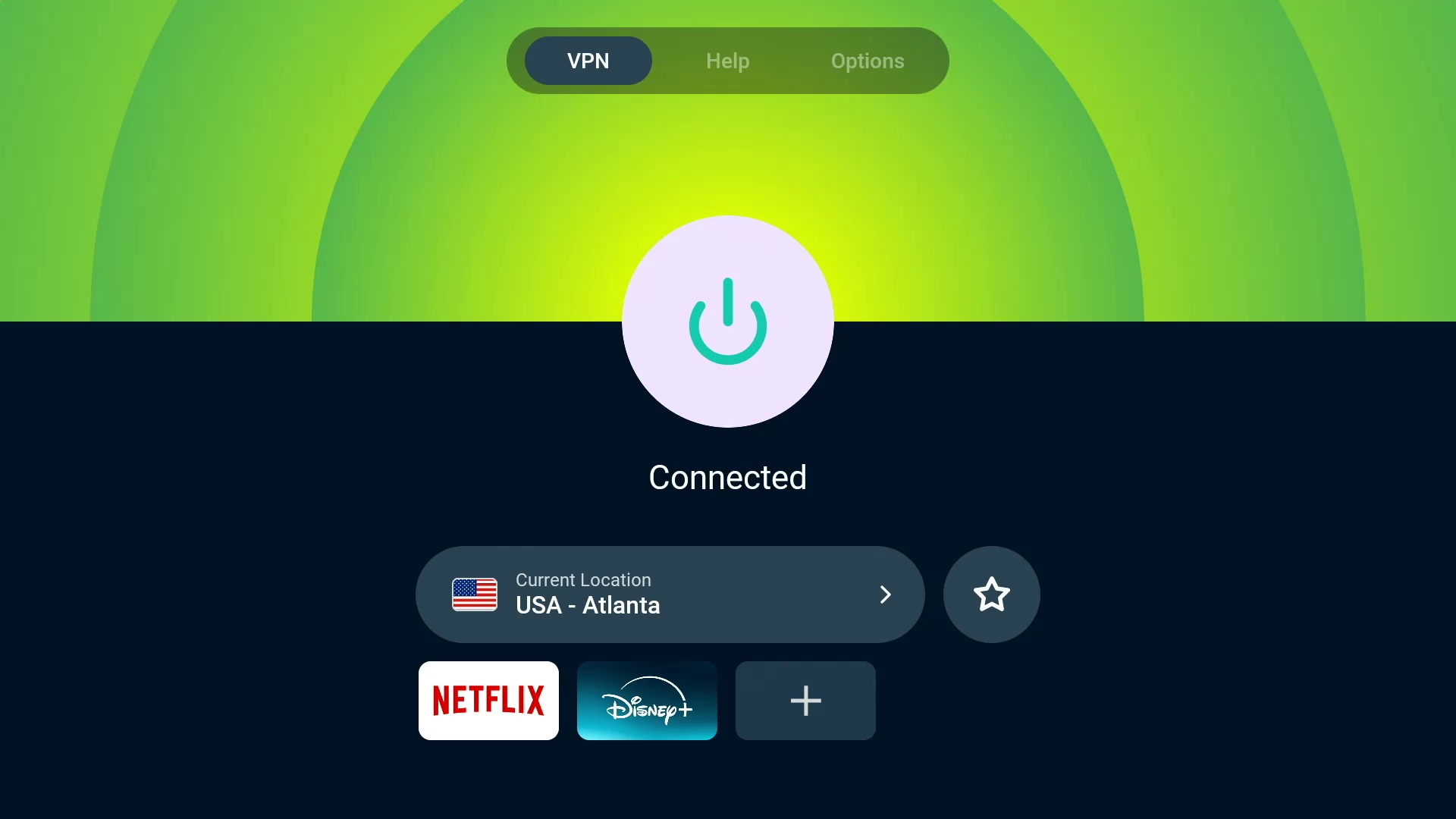
ExpressVPN is the best VPN for Fire TV Sticks overall, thanks to its extremely user-friendly app, quick connectivity and excellent streaming content unblocking. With servers in all 50 US states, ExpressVPN is a great VPN for streaming regional sports content, like NFL or WNBA games.
Screenshot/CNET
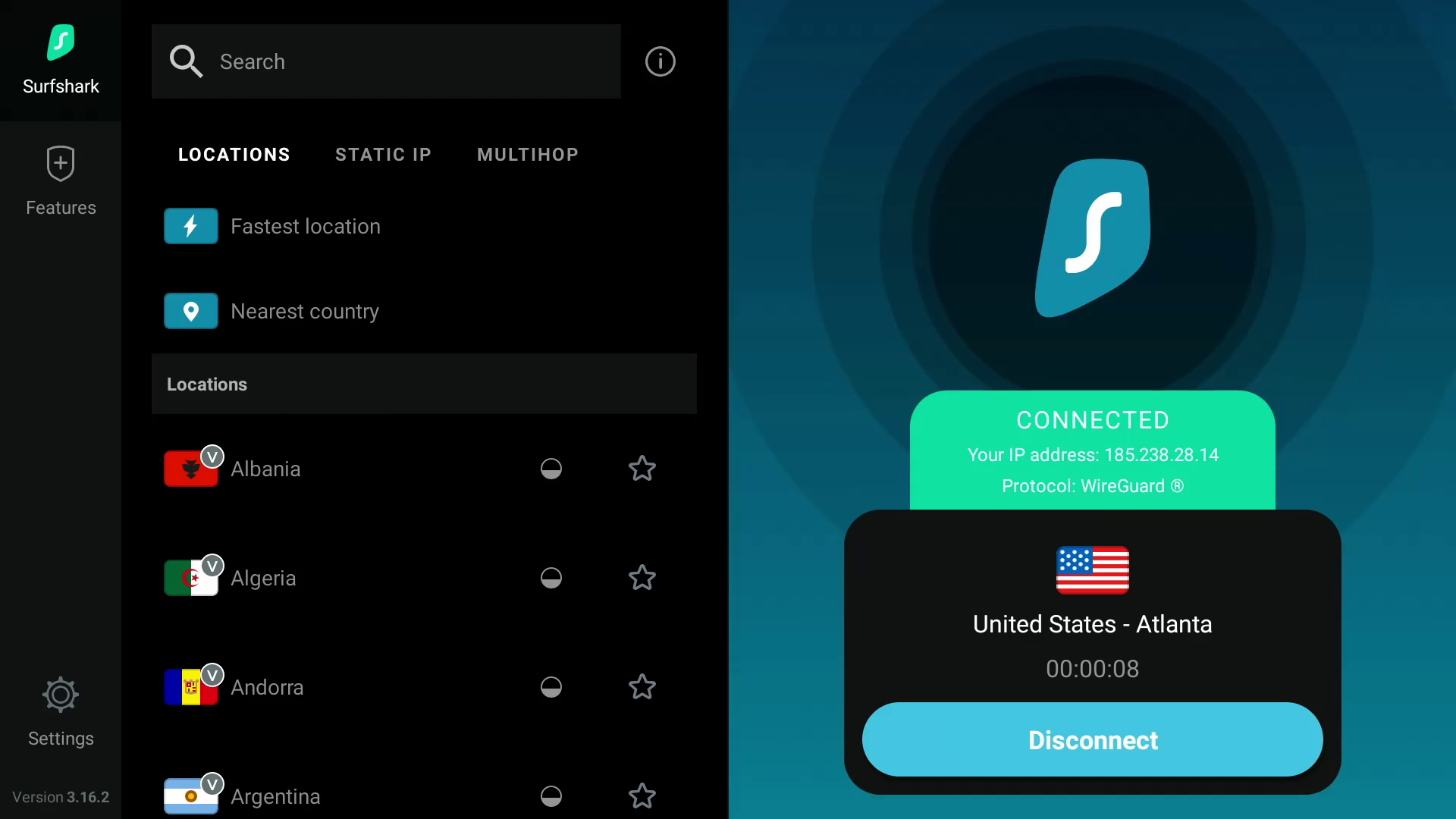
Surfshark is the best value VPN for Amazon Fire TV devices because of its fast speeds and ability to access multiple Netflix regional libraries.
Screenshot by CNET
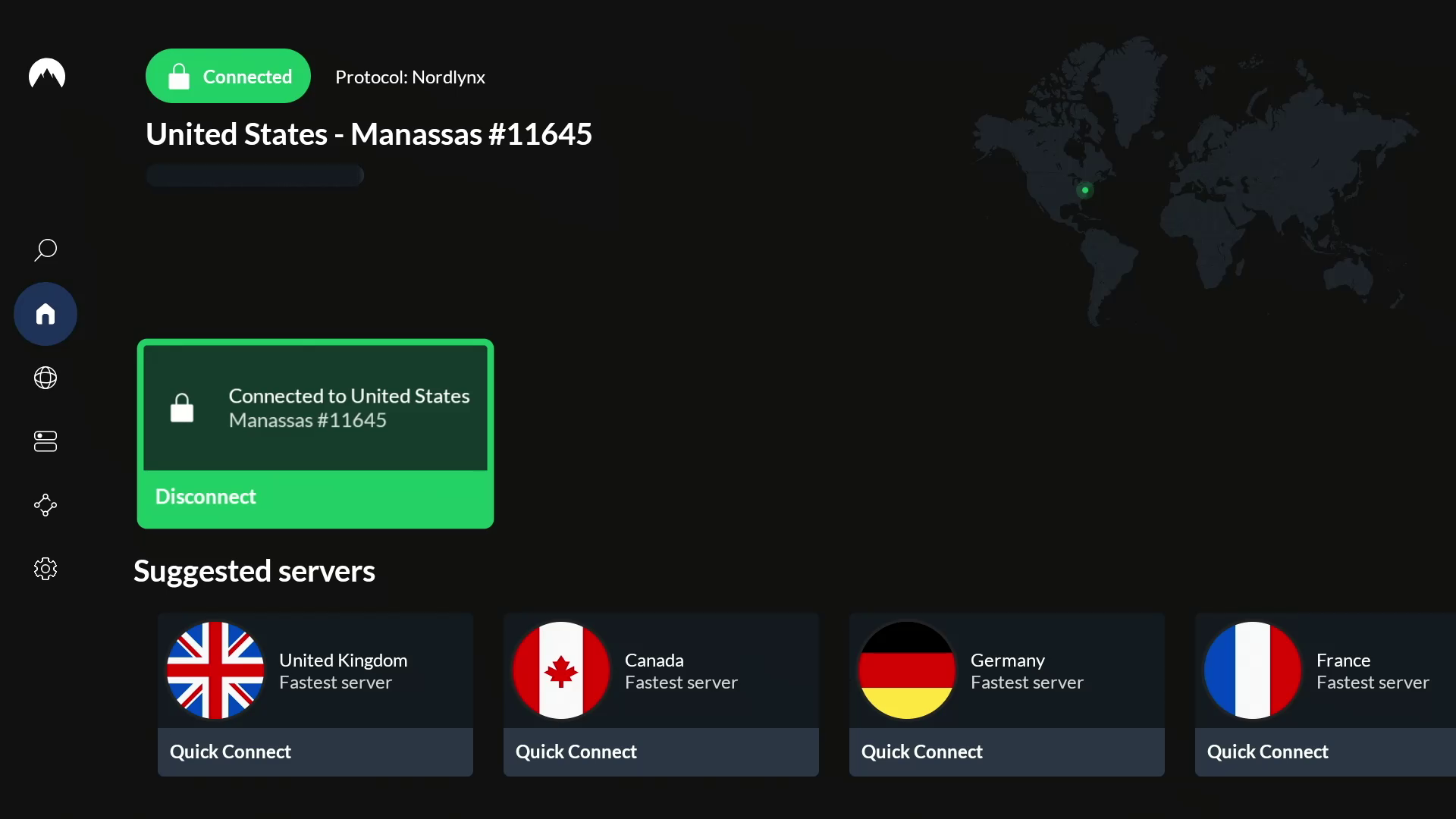
NordVPN is the fastest VPN for Fire TV Stick users based on CNET’s hands-on testing, delivering an exceptionally smooth 4K streaming experience.
Screenshot by CNET
Why use a VPN for Fire TV Stick?
Amazon’s Fire TV Stick is an affordable streaming device that offers access to a world of apps like Netflix, HBO Max, Disney Plus and Amazon Prime Video. However, geographical restrictions can limit the content available to watch in your region. Due to regional licensing agreements, streaming services can only offer a certain selection of titles in a specific country. For instance, if you’re traveling to another country, your favorite TV shows and movies that you stream at home may not be available to watch in the country you’re visiting.
However, with a VPN, you can route your internet traffic through an encrypted server to hide your public IP address, which can make it look like you’re in another city, state or country. Because most streaming sites typically rely on your IP address to determine your location (and therefore what content library to show), changing your IP address to make it appear as though you’re in a different country using a VPN on your Fire TV Stick can help you unblock region-restricted content from all over the world that wouldn’t normally be available in your location. A VPN can help you unblock worldwide content from streaming services like Netflix, Disney Plus, HBO Max, Amazon Prime Video and BBC iPlayer, in addition to accessing your home streaming libraries while you’re out of the country. So you can enjoy The Waterfront on Netflix or The Accountant 2 on Amazon Prime Video from anywhere around the world. A VPN can even help you stream regional sports games, like NFL matches. Because the VPN encrypts your traffic, you can keep your Fire TV Stick streaming activity private from your ISP and potentially bypass bandwidth throttling, which might slow down your internet speeds.
The best VPNs for Fire TV Stick all have user-friendly apps that you can download directly to your streaming device. However, one may work better for you than another, depending on your budget and the specific streaming content you want to access. Based on my hours of testing several VPN services in my latest evaluations, ExpressVPN retains its standing as the best Fire TV Stick VPN available in 2025, thanks in large part to its incredible ease of use and impressive unblocking capabilities across regions and streaming services. Read on to learn more about what to look for in the best VPNs for Fire TV Stick.
You can use a VPN with your Amazon Fire TV Stick to protect your privacy and get past streaming geoblocking.
Getty Images/Amazon/CNET
How to choose the right VPN: Factors to consider in a Fire TV Stick VPN
Privacy
If you want to keep your viewing activities on your Fire TV Stick hidden from your ISP, then you’ll want a VPN that delivers on privacy. Generally, you want to use a provider that offers AES-256 over OpenVPN, or ChaCha20 over Wireguard, to be sure that your internet traffic is being encrypted in a secure way. Be sure to check the VPN provider’s privacy policy to see what personal information may be collected, who it’s shared with and how it’s protected. Do some research into any privacy or security incidents that the VPN company may have dealt with in the past. Look into the provider’s no-logs policy and check for any third-party no-logs audits or real-life cases where the provider’s no-logs claims were put to the test. Also, you’ll want to make sure the VPN has a kill switch and DNS leak protection to ensure your traffic doesn’t leak unencrypted.
Speed
Nothing’s worse than constant buffering when you’re trying to stream movies or shows with your Fire TV Stick. You’ll need a fast VPN to ensure a smooth streaming experience, especially if you’re streaming in 4K. Keep in mind that a VPN will slow your internet speeds, sometimes by 50% or more — although, the fastest VPNs we tested slowed our base speeds by an average of only 20% or less. With a VPN that cuts your internet speeds by 20% or less, you’ll probably hardly notice the speed reduction, and your speeds should be sufficient for streaming on your Fire TV Stick (provided your base internet speeds are fast enough to begin with). Netflix recommends speeds of at least 5Mbps for high-definition streaming, whereas 4K content needs at least 15Mbps. But for a smooth and stable 4K streaming experience, your speeds should be closer to 50Mbps.
Streaming and unblocking capabilities
Most VPNs advertise that they’re great for streaming, but the reality is that there are only a few out there that are truly great streaming VPNs. It’s more than likely that you’ll be spending a lot of time streaming TV shows and movies using your Amazon Fire TV device, so you need a VPN that can keep up. This doesn’t just mean that it’s fast — you’re also looking for a VPN that has plenty of servers around the world to give you more choice when it comes to unblocking streaming services around the world. You’ll also want to make sure that a VPN has the ability to unblock content on streaming services like Netflix, Disney Plus, HBO Max, Hulu, BBC iPlayer and Amazon Prime Video. The best way to do this is to test it out by taking advantage of a money-back guarantee. If the VPN works and unblocks the stream you want, great. If not, you can ask for a refund and try a different VPN provider.
Usability
Just because a VPN has a dedicated app for Amazon’s Fire TV Stick, doesn’t necessarily mean that it’s a good VPN for the device. You’ll want your VPN to be easy to use on your Fire TV Stick. The app should be similar to its desktop and mobile counterparts and should be just as simple to navigate, apply settings and connect to a server. It should also connect quickly and remain connected throughout your streaming sessions.
Cost
If you’re on a budget, cost will be an important consideration in choosing a VPN for your Fire TV Stick. VPN prices can vary from provider to provider, but you’ll typically save more money in the long run when you commit to a longer timeframe. You can expect to pay anywhere from $30 to $150 per year for an annual VPN subscription, and anywhere from $5 to $15 for a monthly VPN subscription, depending on which VPN you go with.
Screenshot by CNET
How I tested VPNs on Fire TV Stick
Each of CNET’s top VPNs offers a native VPN app for the Fire TV Stick, but a few of them stood out during my tests. In addition to evaluating the usability and features of the Fire TV Stick VPN apps, I prioritized other important factors like security, speed and unblocking capabilities of each VPN I tested.
For my evaluation, I tested each VPN on a Fire TV Stick 4K Max. I opened each app on the Fire TV Stick and first tried to get a sense of its usability and available features. Is the app easy to navigate, and are the servers organized in a way that makes them easily accessible? Are the features useful, organized and simple to access?
I then evaluated the overall performance of the app to see if the servers connected quickly, whether or not the connections were stable and how well the features performed. Finally, I tested how well each VPN performed in terms of unblocking geographically restricted content through various server locations and on various popular streaming services like Netflix, Disney Plus, HBO Max, Hulu and Amazon Prime Video. I tested to make sure the streaming services loaded up and started playing content quickly. I also noted whether the streaming experience was smooth and free of buffering, especially when streaming in 4K. The VPNs that consistently passed these tests earned a spot among my picks for the top Fire TV Stick VPNs.
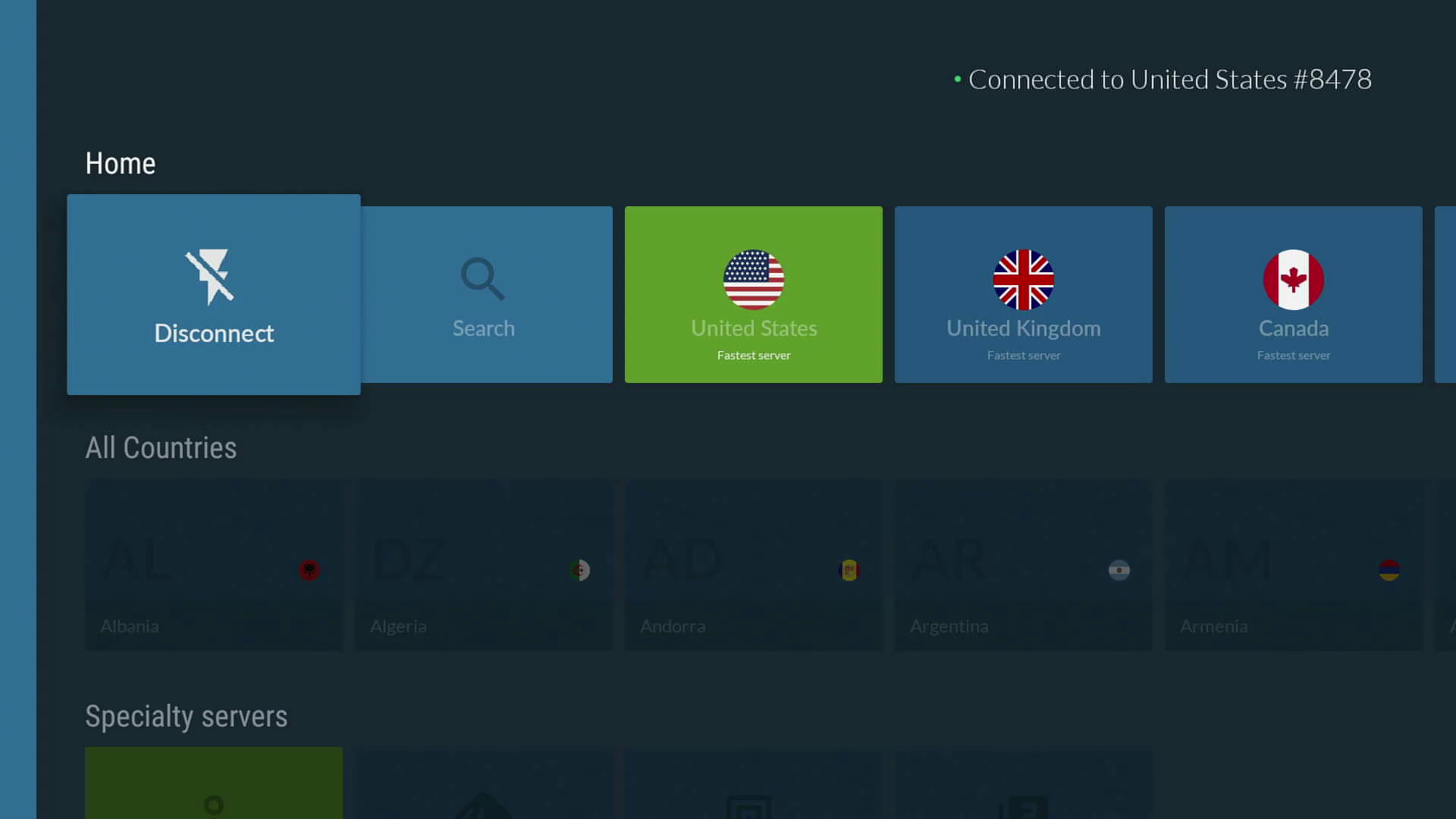
NordVPN’s Fire TV Stick app is easy to navigate and full of useful features.
Screenshot by CNET
How do I install a VPN on Amazon’s Fire TV Stick?
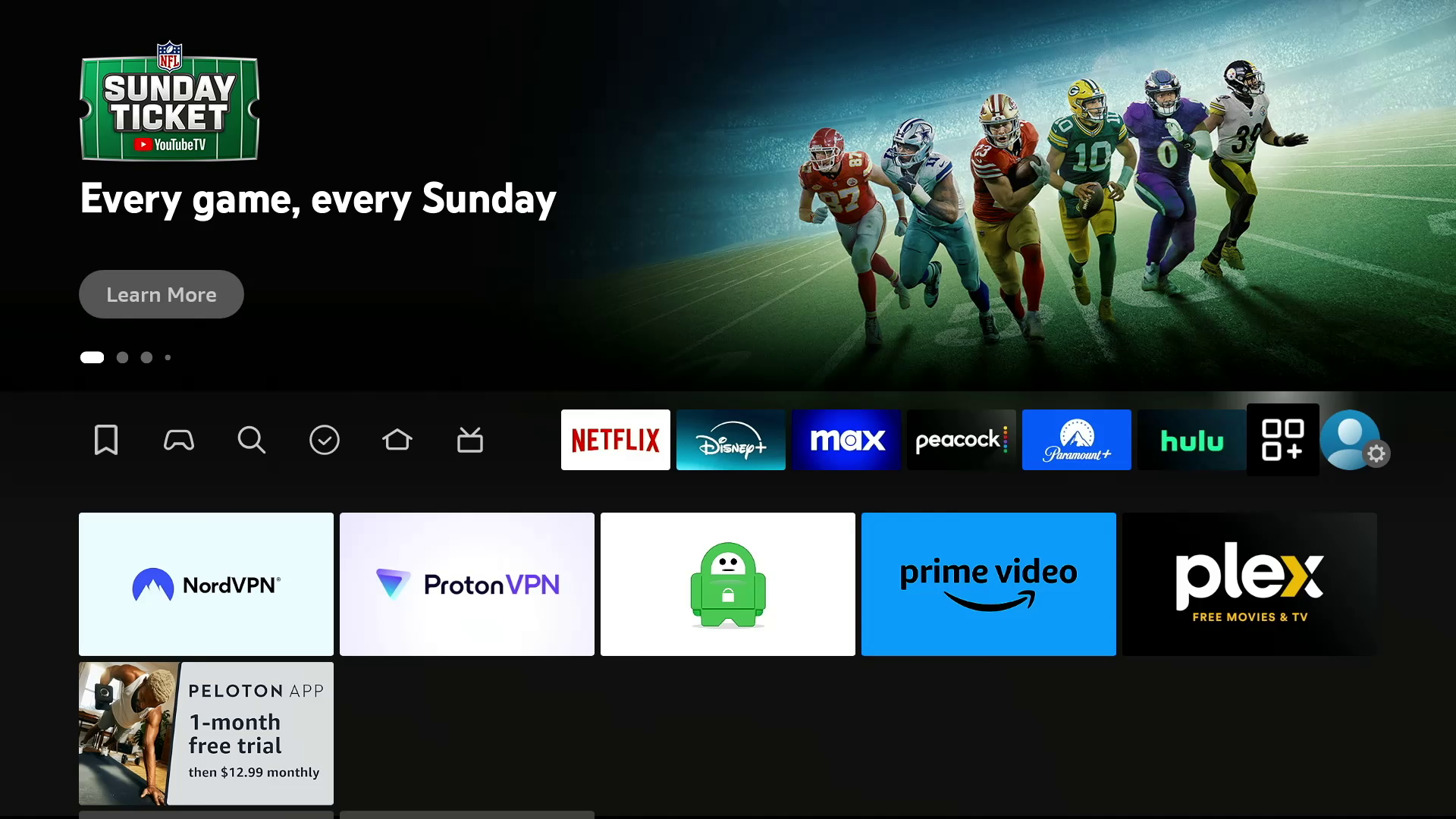
Installing a VPN on the Fire TV Stick is easy. You can either navigate to the magnifying glass search icon on your Fire TV home screen and use your remote or Fire TV app on your smartphone to type in the name of the VPN you want to download, or you can use the Alexa function on your Fire TV remote and say the name of the VPN. Then, click on the logo of your selected VPN and click on Get to initiate the download. Click on Open to launch the app and log into your account. Once you’ve logged in, your VPN will ask for your permission to set up a VPN connection. Click on OK to allow the VPN to create the connection. Once you’ve given your VPN permission to connect, you can start using the VPN on your Fire TV Stick.
Which Amazon Fire TV device is best for streaming with a VPN?
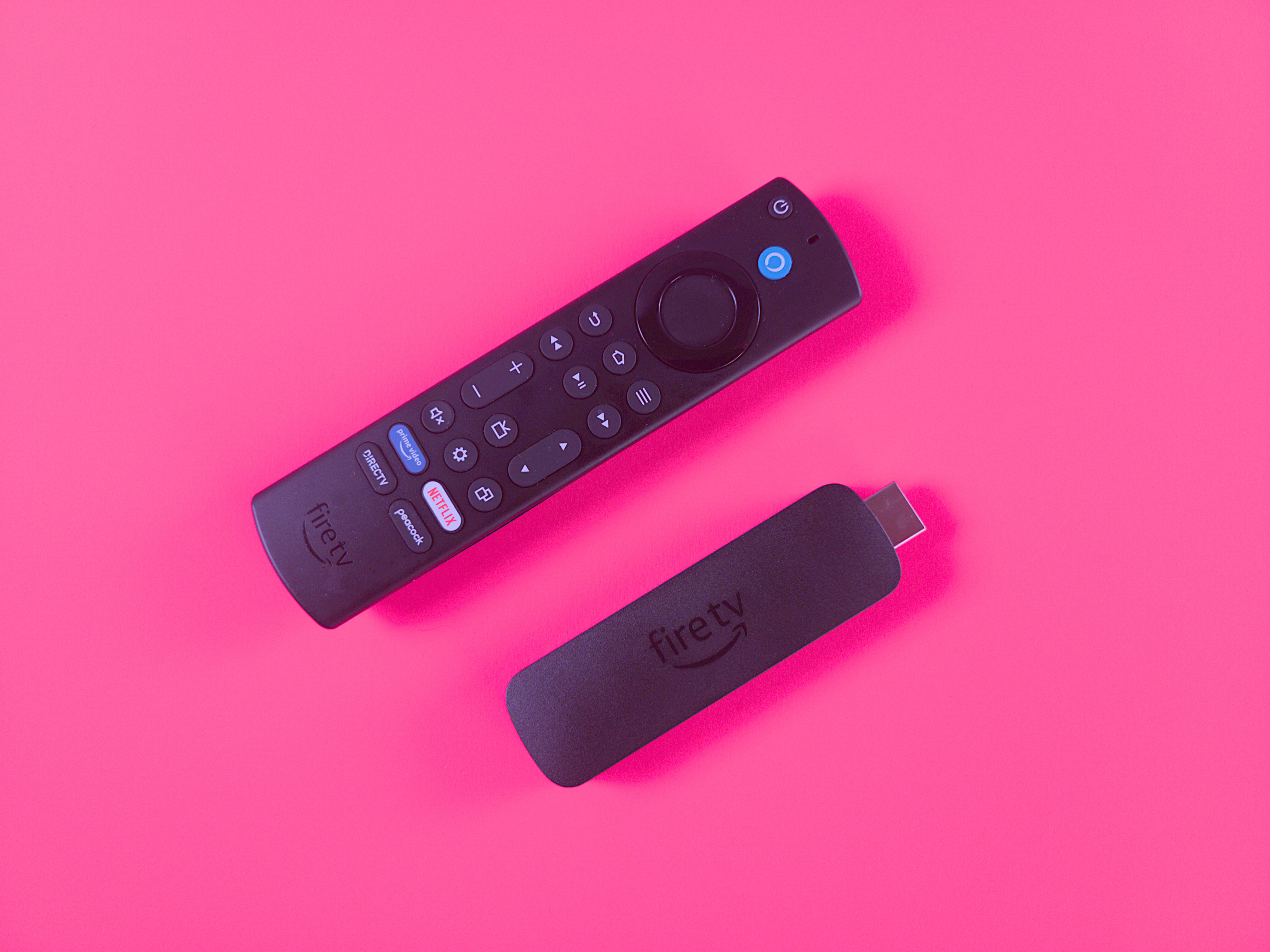
The $55 Amazon Fire TV Stick 4K Max (2023) features a new Ambience mode.
Ty Pendlebury/CNET
You’ve got multiple Amazon Fire TV devices to pick from, and the Amazon Fire TV Stick 4K Max is our choice as the best overall. In our testing, we liked its Wi-Fi 6 support, which helps when streaming high-bandwidth 4K video content on your favorite apps, like Amazon Prime Video, Netflix or Disney Plus. We also appreciated the Fire TV Stick 4K Max’s capability to stream in the latest video standards, like Dolby Vision HDR.
The Amazon Fire TV Cube is great for home theater or smart home enthusiasts. We appreciate that it doubles as a smart speaker with Alexa onboard, so you can use voice search to look up movies and shows, adjust the volume, change TV inputs, stream music and more. There’s even an HDMI input, so you can connect cable boxes, game consoles and other devices to your Fire TV Cube, which can be great if you’re a home cinema buff with too many devices and not enough HDMI inputs on your TV.
Any VPN will slow down your internet speeds (sometimes by as much as 50%), but a fast VPN should only drop your download speeds by an average of about 25% or less. We run over 250 individual speed tests per provider when we test VPNs. NordVPN was the fastest VPN we assessed in our latest round of testing, with a 3% average download speed loss. Surfshark, Proton VPN, Mullvad and ExpressVPN all registered speed loss of less than 25%. Because streaming video on an Amazon Fire TV stick requires fast internet speeds — especially for 4K or 1080p content — you’ll want a reliable VPN that minimally cuts your download speed. Here’s how our top VPN recommendations stacked up:
Other VPNs we tested on the Fire TV Stick
IPVanish
Servers: 2,400-plus
Number of countries: 108
Country/jurisdiction: US
Platforms: Windows, MacOS, Linux (CLI), Chrome OS, Android, Android TV, iOS, iPadOS, Fire TV, Apple TV
Price: $13 per month, $40 for the first year (then $156 annually) or $52 for the first two years combined (then $312 every two years)
I also tested IPVanish on the Fire TV Stick. Its app includes various settings and features to tool around with, but its high 44% average speed loss makes it unreliable for streaming video. The automatic app launch feature that allows users to select an app to launch automatically after a successful connection is a handy feature and worked well when set to auto-launch Netflix. But besides that, there wasn’t much more to like about IPVanish’s performance on the Fire TV Stick. Considering its unremarkable performance and ridiculously expensive renewal prices, I cannot enthusiastically recommend IPVanish as a viable VPN solution for the Fire TV Stick or for basically any other use case at this time. (Disclosure: IPVanish is owned by the same parent company as CNET, Ziff Davis).
We’ll continue to test this and other VPNs on the Fire TV Stick, so be sure to check back often.
The bus made famous by Jon Krakauer’s nonfiction book, Into the Wild, and the 2007 movie of the same name, was removed from Alaska’s Stampede Trail this week for public safety reasons. The bus was airlifted out of the Healy, Alaska wilderness using a CH-47 Chinook helicopter, according to a Facebook post from the Alaska National Guard.
Krakauer’s 1996 book tells the true story of Christopher McCandless, who donated his life savings to charity and hitchhiked to Alaska at age 24. Unable to get back to civilization, he took refuge in an abandoned 1946 bus that once had been used as shelter by road workers, but died of starvation after more than 100 days. Numerous travelers who read the book or saw the movie later tried to reach the bus, with some needing rescue, and one woman from Belarus dying in the attempt.
“We encourage people to enjoy Alaska’s wild areas safely, and we understand the hold this bus has had on the popular imagination,” Alaska Natural Resources Commissioner Corri Feige said in a statement. “However, this is an abandoned and deteriorating vehicle that was requiring dangerous and costly rescue efforts. More importantly, it was costing some visitors their lives.”
The Alaska Army National Guard moved the bus as part of a training mission “at no cost to the public or additional cost to the state,” Feige said. The statement says the crew also ensured the safety of a suitcase with sentimental value to the McCandless family. A 2003 article in Nidus, a publication by University of Pittsburgh MFA students, reports that McCandless’ mother left the suitcase filled with survival gear, with visitors adding to and taking from it over the years. The bus will be stored at a secure site until a decision is made about its future.
 Apple/CNET